

Building a Real-Time Chat App Using Flutter and Firebase
In today’s digital landscape, real-time communication has become the backbone of modern mobile applications. Whether you’re scrolling through WhatsApp, engaging on Discord, or collaborating on Slack, real-time chat functionality powers billions of interactions daily. For developers looking to integrate seamless messaging capabilities into their applications, the combination of Flutter and Firebase presents an unbeatable solution that’s both powerful and accessible.
The demand for instant messaging features has skyrocketed, with over 3 billion people worldwide using messaging apps regularly. This surge has created an unprecedented opportunity for developers to build engaging, interactive applications that keep users connected. However, implementing real-time chat from scratch can be daunting, involving complex backend infrastructure, WebSocket management, and scalability challenges.
This comprehensive guide will walk you through building a production-ready real-time chat application using Flutter’s cross-platform capabilities and Firebase’s robust backend services. By the end of this tutorial, you’ll have a fully functional chat app that handles real-time messaging, user authentication, and data synchronization across multiple devices.
Why Choose Flutter and Firebase for Real-Time Chat Applications?
Flutter: The Cross-Platform Powerhouse
Flutter has revolutionized mobile app development by enabling developers to create native-quality applications for both iOS and Android using a single codebase. Developed by Google, Flutter’s widget-based architecture and Dart programming language provide exceptional performance and developer productivity.
For chat applications, Flutter offers several compelling advantages. The framework’s reactive nature aligns perfectly with real-time data updates, allowing UI components to automatically refresh when new messages arrive. Flutter’s rich widget ecosystem includes pre-built components for lists, input fields, and animations that are essential for creating engaging chat interfaces.
The hot reload feature significantly accelerates development cycles, allowing developers to see changes instantly without losing application state. This is particularly valuable when fine-tuning chat UI elements and testing real-time interactions.
Firebase: Your Complete Backend Solution
Firebase provides a comprehensive suite of backend services that eliminate the need for complex server infrastructure. For chat applications, Firebase offers several critical services that work seamlessly together.
Cloud Firestore serves as the primary database, providing real-time synchronization capabilities that are perfect for chat applications. Unlike traditional databases that require polling for updates, Firestore automatically pushes changes to connected clients, ensuring messages appear instantly across all devices.
Firebase Authentication handles user management with support for multiple providers including email/password, Google, Facebook, and anonymous authentication. This eliminates the security complexities of building custom authentication systems.
Firebase Cloud Storage manages file uploads for images, documents, and other media shared through the chat application. The service provides secure, scalable storage with automatic CDN distribution for optimal performance.
Setting Up Your Development Environment
Prerequisites and Tools
Before diving into development, ensure your system meets the necessary requirements. Install Flutter SDK version 3.0 or higher, which includes Dart SDK and essential development tools. Android Studio or Visual Studio Code with Flutter extensions provide excellent development environments with debugging capabilities and widget inspection tools.
Create a new Firebase project through the Firebase Console, enabling the services you’ll need: Authentication, Cloud Firestore, and Storage. Download the configuration files (google-services.json for Android and GoogleService-Info.plist for iOS) and place them in the appropriate platform directories.
Project Initialization
Create a new Flutter project using the command line interface, selecting appropriate platform support based on your target devices. Configure your project’s dependencies by adding Firebase packages to pubspec.yaml, including firebase_core, cloud_firestore, firebase_auth, and firebase_storage.
Initialize Firebase in your main application file, ensuring proper configuration for both Android and iOS platforms. This setup establishes the connection between your Flutter application and Firebase backend services.
Implementing Firebase Authentication
User Registration and Login System
Authentication forms the foundation of any chat application, ensuring users can securely access their conversations and maintain privacy. Firebase Authentication provides robust user management with minimal code implementation.
Create authentication screens for user registration and login, implementing form validation to ensure data integrity. Use Firebase Auth’s createUserWithEmailAndPassword method for registration and signInWithEmailAndPassword for login functionality.
Implement proper error handling for common authentication scenarios, including weak passwords, invalid email formats, and network connectivity issues. Provide clear feedback to users through snackbars or dialog boxes when authentication fails.
User Profile Management
Extend user authentication with profile management capabilities, allowing users to set display names and profile pictures. Store user profile information in Cloud Firestore, creating a users collection that references authentication UIDs.
Implement profile update functionality that synchronizes changes across the authentication system and Firestore database. This ensures consistency between user credentials and profile information throughout the application.
Designing the Chat Interface
Creating Intuitive UI Components
The chat interface serves as the primary interaction point for users, making design crucial for user experience. Implement a message list using ListView.builder for optimal performance with large message histories. Each message item should display sender information, message content, and timestamp in a visually appealing format.
Create message input components with text fields for message composition and send buttons for message submission. Implement proper keyboard handling to ensure smooth typing experiences and message sending workflows.
Design message bubbles with distinct styling for sent and received messages, helping users easily distinguish their messages from others. Use different colors, alignments, and styling to create visual hierarchy and improve readability.
Responsive Design Considerations
Ensure your chat interface adapts to different screen sizes and orientations, providing consistent experiences across phones and tablets. Implement proper spacing, padding, and sizing that scale appropriately with device dimensions.
Consider accessibility features including screen reader support, high contrast modes, and touch target sizing for users with disabilities. These considerations broaden your application’s reach and improve overall usability.
Implementing Real-Time Messaging with Cloud Firestore
Database Structure Design
Designing an efficient database structure is crucial for chat application performance and scalability. Create a messages collection in Cloud Firestore with documents containing sender ID, recipient ID, message content, timestamp, and message type fields.
Implement subcollections for chat rooms or conversations, organizing messages hierarchically for efficient querying. This structure supports both individual and group chat scenarios while maintaining optimal performance.
Use Firestore’s automatic indexing for common query patterns, ensuring fast message retrieval and real-time updates. Consider compound indexes for complex queries involving multiple fields.
Real-Time Data Synchronization
Leverage Cloud Firestore’s real-time listeners to automatically update the chat interface when new messages arrive. Implement StreamBuilder widgets that react to database changes, rebuilding UI components with updated message lists.
Handle connection state changes gracefully, providing visual indicators when the application is offline or experiencing connectivity issues. Implement proper error handling for network failures and database access problems.
Optimize data usage by implementing pagination for message histories, loading older messages on demand rather than retrieving entire conversation histories. This approach improves application performance and reduces bandwidth consumption.
Advanced Features and Functionality
File Sharing and Media Support
Extend your chat application with media sharing capabilities using Firebase Storage. Implement image and document upload functionality that compresses files before upload to optimize performance and storage costs.
Create preview components for shared media, allowing users to view images inline and download documents as needed. Implement proper progress indicators for file uploads and downloads to keep users informed of transfer status.
Push Notifications
Integrate Firebase Cloud Messaging to send push notifications for new messages when users aren’t actively using the application. Configure notification channels for different message types and implement customizable notification preferences.
Handle notification tapping to navigate users directly to relevant conversations, providing seamless transitions from notifications to active chat sessions.
Security and Performance Optimization
Implementing Security Rules
Configure Firestore security rules to protect user data and prevent unauthorized access to messages. Implement authentication-based rules that ensure users can only access their own conversations and profile information.
Create validation rules for message content and user profiles, preventing malicious data injection and maintaining data integrity throughout the application.
Performance Best Practices
Optimize application performance through efficient data loading strategies, implementing lazy loading for message histories and user profiles. Use Flutter’s widget optimization techniques including const constructors and widget keys to minimize unnecessary rebuilds.
Implement proper memory management for large message lists, disposing of unused resources and optimizing image caching for shared media files.
Testing and Deployment
Comprehensive Testing Strategy
Develop a thorough testing approach covering unit tests for business logic, widget tests for UI components, and integration tests for Firebase interactions. Mock Firebase services during testing to ensure consistent, reliable test results.
Test real-time functionality across multiple devices and network conditions, verifying message delivery and synchronization performance under various scenarios.
Production Deployment
Prepare your application for production deployment by configuring proper build settings for both Android and iOS platforms. Optimize application size through code splitting and asset optimization techniques.
Set up Firebase project configurations for production environments, implementing proper security rules and performance monitoring to ensure smooth operation at scale.
Troubleshooting Common Issues
Authentication Problems
Address common authentication issues including network connectivity problems, invalid credentials, and account state conflicts. Implement proper error handling and user feedback systems that guide users through resolution steps.
Real-Time Synchronization Issues
Diagnose and resolve real-time synchronization problems including listener setup errors, permission issues, and network connectivity failures. Provide fallback mechanisms for offline scenarios to maintain application functionality.
Future Enhancements and Scalability
Advanced Chat Features
Consider implementing additional features such as message reactions, typing indicators, and message threading to enhance user engagement. These features can be built using the same Firebase infrastructure with minimal additional complexity.
Scaling Considerations
Plan for application growth by implementing efficient data structures and optimizing query patterns. Consider implementing chat room limitations and message retention policies to manage storage costs and performance as your user base expands.
Conclusion
Building a real-time chat application using Flutter and Firebase combines the best of cross-platform mobile development with powerful backend services. This combination enables developers to create feature-rich messaging applications without the complexity of managing server infrastructure.
The integration of Flutter’s reactive UI framework with Firebase’s real-time database capabilities creates applications that are both performant and scalable. The authentication, storage, and messaging features work together seamlessly to provide comprehensive chat functionality that rivals commercial messaging platforms.
As you continue developing your chat application, focus on user experience optimization and feature enhancement based on user feedback. The foundation you’ve built provides endless opportunities for customization and expansion, allowing your application to grow with your users’ needs.
Ready to start building your real-time chat application? Begin with the basic implementation outlined in this guide, then gradually add advanced features as your application evolves. The combination of Flutter and Firebase provides the perfect foundation for creating engaging, interactive messaging experiences that keep users connected and engaged.
Frequently Asked Questions
Q1: What are the main advantages of using Flutter and Firebase for chat app development?
Flutter provides cross-platform development with single codebase, reducing development time and costs. Firebase offers real-time database synchronization, built-in authentication, and scalable cloud storage, eliminating complex backend infrastructure requirements for developers.
Q2: How does Cloud Firestore handle real-time message synchronization across multiple devices?
Cloud Firestore uses WebSocket connections to automatically push data changes to connected clients. When new messages are added, all listening devices receive updates instantly without polling, ensuring consistent real-time communication experiences.
Q3: Can I implement group chat functionality using the same Firebase structure?
Yes, group chats can be implemented by creating chat room collections with participant arrays and message subcollections. This structure supports multiple users while maintaining efficient querying and real-time synchronization capabilities.
Q4: What security measures should I implement for a production chat application?
Implement Firestore security rules for data access control, user authentication validation, message content filtering, and proper user permission verification. Also configure secure API keys and enable appropriate Firebase security features.
Q5: How can I optimize performance for chat apps with large message histories?
Implement pagination for message loading, use lazy loading for older conversations, optimize image caching for media messages, and implement proper widget disposal. Consider message archiving and cleanup policies for long-term performance maintenance.
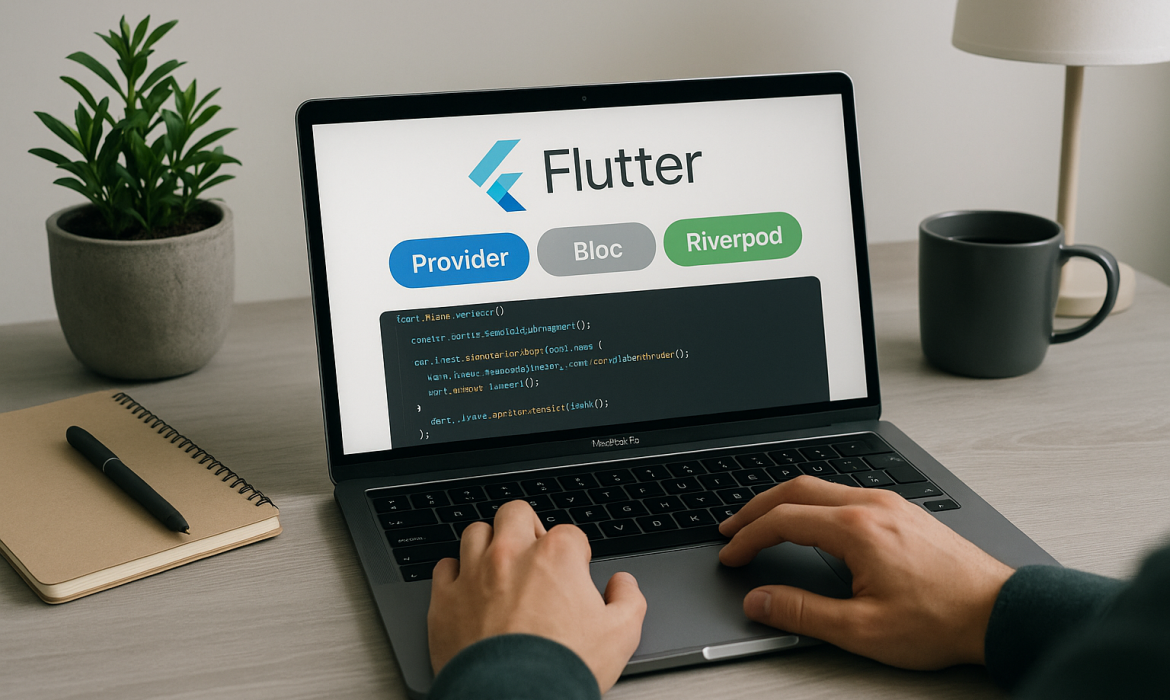
How to Implement State Management in Flutter (Provider, Bloc, Riverpod)
State management is the backbone of any successful Flutter application. As your app grows in complexity, managing data flow between widgets becomes increasingly challenging. Without proper state management, you’ll find yourself wrestling with widget rebuilds, performance issues, and code that’s difficult to maintain and test.
Flutter offers several powerful state management solutions, each with its own strengths and use cases. In this comprehensive guide, we’ll explore three of the most popular approaches: Provider, Bloc, and Riverpod. By the end of this article, you’ll understand when to use each solution and how to implement them effectively in your Flutter projects.
Understanding State in Flutter Applications
Before diving into specific solutions, it’s crucial to understand what state means in Flutter context. State represents any data that can change during the lifetime of your application – user preferences, API responses, form inputs, navigation state, and more.
Flutter widgets are immutable, meaning they cannot change once created. When state changes, Flutter creates new widget instances to reflect these changes. This approach ensures predictable UI updates but requires careful consideration of how and where state is managed.
State can be categorized into two main types: local state and global state. Local state affects only a single widget or a small widget subtree, while global state impacts multiple widgets across different parts of your application. Effective state management solutions help you handle both types efficiently.
Provider: The Foundation of Flutter State Management
Provider is one of the most widely adopted state management solutions in the Flutter ecosystem. Built on top of InheritedWidget, Provider offers a simple yet powerful way to manage state across your application.
Core Concepts of Provider
Provider works on the principle of dependency injection, allowing you to provide objects to widget trees and consume them wherever needed. The main components include ChangeNotifier for state objects, Provider widgets for dependency injection, and Consumer widgets for listening to state changes.
ChangeNotifier is a simple class that provides change notification to its listeners. When you extend ChangeNotifier, you gain access to notifyListeners() method, which triggers rebuilds in widgets that depend on this state.
Implementing Provider in Your Flutter App
To get started with Provider, add the provider package to your pubspec.yaml file. Create a class that extends ChangeNotifier to hold your application state:
class CounterProvider extends ChangeNotifier {
int _count = 0;
int get count => _count;
void increment() {
_count++;
notifyListeners();
}
void decrement() {
_count–;
notifyListeners();
}
}
Wrap your app with ChangeNotifierProvider to make the state available throughout your widget tree:
MultiProvider(
providers: [
ChangeNotifierProvider(create: (_) => CounterProvider()),
ChangeNotifierProvider(create: (_) => UserProvider()),
],
child: MyApp(),
)
Consume the state in your widgets using Consumer or Provider.of():
Consumer<CounterProvider>(
builder: (context, counter, child) {
return Text(‘Count: ${counter.count}’);
},
)
Provider Advantages and Use Cases
Provider excels in scenarios where you need straightforward state management without complex business logic. It’s perfect for simple applications, prototyping, and when you want minimal boilerplate code. The learning curve is gentle, making it ideal for developers new to state management concepts.
Provider integrates seamlessly with Flutter’s widget system and provides excellent performance through selective rebuilds. Its widespread adoption means extensive community support and numerous learning resources.
Bloc Pattern: Separating Business Logic from UI
Bloc (Business Logic Component) is a more sophisticated state management solution that enforces separation of concerns by isolating business logic from presentation layers. Developed by Google developers, Bloc follows reactive programming principles using Streams.
Understanding Bloc Architecture
Bloc pattern consists of three main components: Events (user interactions or system events), States (representations of application state), and the Bloc itself (processes events and emits states). This architecture promotes testability, reusability, and maintainability.
Events are inputs to the Bloc, representing user actions like button presses or API calls. States are outputs from the Bloc, representing different conditions of your application. The Bloc acts as a converter, taking events as input and producing states as output.
Setting Up Bloc in Flutter
Add the flutter_bloc package to your dependencies. Create events that represent user interactions:
abstract class CounterEvent {}
class CounterIncremented extends CounterEvent {}
class CounterDecremented extends CounterEvent {}
Define states that represent different conditions:
abstract class CounterState {}
class CounterInitial extends CounterState {}
class CounterValue extends CounterState {
final int value;
CounterValue(this.value);
}
Implement the Bloc class:
class CounterBloc extends Bloc<CounterEvent, CounterState> {
CounterBloc() : super(CounterInitial()) {
on<CounterIncremented>((event, emit) {
if (state is CounterValue) {
emit(CounterValue((state as CounterValue).value + 1));
} else {
emit(CounterValue(1));
}
});
on<CounterDecremented>((event, emit) {
if (state is CounterValue) {
emit(CounterValue((state as CounterValue).value – 1));
} else {
emit(CounterValue(-1));
}
});
}
}
Integrating Bloc with Flutter Widgets
Use BlocProvider to provide the Bloc to your widget tree:
BlocProvider(
create: (context) => CounterBloc(),
child: CounterPage(),
)
Listen to state changes with BlocBuilder:
BlocBuilder<CounterBloc, CounterState>(
builder: (context, state) {
if (state is CounterValue) {
return Text(‘Count: ${state.value}’);
}
return Text(‘Count: 0’);
},
)
Dispatch events using BlocProvider.of() or context.read():
context.read<CounterBloc>().add(CounterIncremented());
When to Choose Bloc
Bloc shines in complex applications with intricate business logic, multiple data sources, and requirements for high testability. It’s particularly valuable in enterprise applications where code maintainability and team collaboration are priorities.
The pattern enforces good architecture practices and makes testing straightforward since business logic is completely separated from UI components. However, it requires more boilerplate code compared to simpler solutions.
Riverpod: The Evolution of Provider
Riverpod represents the next generation of state management for Flutter, addressing limitations of Provider while maintaining its simplicity. Created by the same developer who built Provider, Riverpod offers compile-time safety, better testability, and more flexible dependency injection.
Key Features of Riverpod
Riverpod eliminates the need for BuildContext when reading providers, reducing coupling between state and widgets. It provides compile-time safety, catching errors during development rather than runtime. The solution supports provider scoping, allowing you to override providers for specific widget subtrees.
Riverpod offers multiple provider types for different use cases: Provider for immutable values, StateProvider for simple mutable state, StateNotifierProvider for complex state management, and FutureProvider for asynchronous operations.
Implementing Riverpod
Add flutter_riverpod to your dependencies and wrap your app with ProviderScope:
void main() {
runApp(
ProviderScope(
child: MyApp(),
),
);
}
Create providers outside of widgets:
final counterProvider = StateProvider<int>((ref) => 0);
final userProvider = StateNotifierProvider<UserNotifier, User>((ref) {
return UserNotifier();
});
For complex state, extend StateNotifier:
class UserNotifier extends StateNotifier<User> {
UserNotifier() : super(User.initial());
void updateName(String name) {
state = state.copyWith(name: name);
}
void updateEmail(String email) {
state = state.copyWith(email: email);
}
}
Consuming Riverpod Providers
Use ConsumerWidget instead of StatelessWidget to access providers:
class CounterWidget extends ConsumerWidget {
@override
Widget build(BuildContext context, WidgetRef ref) {
final count = ref.watch(counterProvider);
return Column(
children: [
Text(‘Count: $count’),
ElevatedButton(
onPressed: () => ref.read(counterProvider.notifier).state++,
child: Text(‘Increment’),
),
],
);
}
}
For StatefulWidget, use ConsumerStatefulWidget:
class CounterPage extends ConsumerStatefulWidget {
@override
_CounterPageState createState() => _CounterPageState();
}
class _CounterPageState extends ConsumerState<CounterPage> {
@override
Widget build(BuildContext context) {
final count = ref.watch(counterProvider);
return Scaffold(
body: Center(child: Text(‘Count: $count’)),
);
}
}
Advanced Riverpod Features
Riverpod supports provider combinations and dependencies. You can create providers that depend on other providers:
final filteredTodosProvider = Provider<List<Todo>>((ref) {
final todos = ref.watch(todosProvider);
final filter = ref.watch(todoFilterProvider);
return todos.where((todo) => filter.apply(todo)).toList();
});
Family modifiers allow creating providers with parameters:
final todoProvider = Provider.family<Todo, String>((ref, id) {
return ref.watch(todosProvider).firstWhere((todo) => todo.id == id);
});
Riverpod vs Provider: Making the Choice
Riverpod offers several advantages over Provider: compile-time safety, better testability, no BuildContext dependency, and more flexible provider composition. However, Provider has a larger ecosystem and more learning resources due to its longer presence in the Flutter community.
Choose Riverpod for new projects where you want modern features and improved developer experience. Provider remains a solid choice for existing projects or when working with teams familiar with its patterns.
Choosing the Right State Management Solution
The choice between Provider, Bloc, and Riverpod depends on your project requirements, team expertise, and long-term maintenance considerations.
Project Complexity Considerations
For simple applications with minimal state management needs, Provider offers the quickest path to implementation. Medium complexity projects benefit from Provider’s balance of simplicity and power. Complex enterprise applications with intricate business logic are best served by Bloc’s architectural patterns.
Team and Maintainability Factors
Consider your team’s experience level and the project’s expected lifespan. Provider has the gentlest learning curve, making it suitable for junior developers or tight deadlines. Bloc requires more upfront investment in learning but pays dividends in large, long-lived projects. Riverpod offers modern features that improve developer experience once the initial learning curve is overcome.
Performance Characteristics
All three solutions offer excellent performance when implemented correctly. Provider and Riverpod provide fine-grained control over widget rebuilds. Bloc’s stream-based architecture naturally debounces rapid state changes. The performance difference is negligible in most real-world applications.
Best Practices and Common Pitfalls
Regardless of your chosen solution, certain best practices apply universally. Keep state classes immutable when possible, minimize the scope of state providers, and separate business logic from UI components.
Common mistakes include creating too many small providers, not properly disposing of resources, and mixing different state management approaches within the same application. Consistency in approach leads to more maintainable codebases.
Testing strategies vary by solution but generally involve mocking providers or blocs and verifying state changes. Provider and Riverpod offer excellent testability through dependency injection, while Bloc’s separation of concerns makes unit testing straightforward.
Migration Strategies and Coexistence
You don’t need to choose one solution exclusively. Different parts of your application can use different state management approaches based on their specific needs. However, mixing approaches requires careful consideration to avoid confusion and maintain code consistency.
When migrating between solutions, start with new features or isolated components. Gradual migration reduces risk and allows your team to become familiar with the new approach before committing fully.
Conclusion
State management is a critical aspect of Flutter development that significantly impacts your application’s maintainability, testability, and user experience. When considering how much does it cost to build an app with Flutter in 2025, it’s important to factor in the state management solution you choose. Provider, Bloc, and Riverpod each offer unique advantages suited to different scenarios, which can influence both development time and overall costs.
Provider remains an excellent choice for developers seeking simplicity and quick implementation, often resulting in lower initial development costs. Bloc provides robust architecture for complex applications requiring strict separation of concerns, which might slightly increase upfront costs but pays off in maintainability. Riverpod represents the future of Flutter state management with modern features and improved developer experience, potentially offering a balanced cost-to-benefit ratio in 2025 projects.
The key to successful state management lies not just in choosing the right tool, but in understanding your application’s requirements and implementing consistent patterns throughout your codebase. Start with the solution that matches your current needs and expertise level, and don’t hesitate to evolve your approach as your application and team grow.
Remember that the best state management solution is the one that your team can implement effectively and maintain consistently. Focus on creating clean, testable code that serves your users’ needs, and let the technical choices support that primary goal.
Frequently Asked Questions
Q1: Which state management solution is best for Flutter beginners?
Provider is the most beginner-friendly option due to its simple API and gentle learning curve. It integrates seamlessly with Flutter’s widget system and has extensive documentation and community support for new developers.
Q2: Can I use multiple state management solutions in the same Flutter project?
Yes, you can mix different state management approaches within the same project. However, maintain consistency within feature modules and clearly document your architectural decisions to avoid confusion among team members.
Q3: How does Riverpod improve upon Provider’s limitations?
Riverpod offers compile-time safety, eliminates BuildContext dependency, provides better testability, supports provider scoping, and includes advanced features like family modifiers and provider combinations that weren’t available in Provider.
Q4: When should I choose Bloc over simpler state management solutions?
Choose Bloc for complex applications with intricate business logic, multiple data sources, strict testing requirements, or when working in large teams where architectural consistency and separation of concerns are crucial.
Q5: What are the performance differences between Provider, Bloc, and Riverpod?
All three solutions offer excellent performance when implemented correctly. The differences are negligible in most applications. Focus on proper implementation patterns like selective rebuilds and appropriate provider scoping rather than theoretical performance comparisons.

Flutter vs Native Development: Cost, Speed, and Scalability
The mobile app development landscape presents businesses with a critical decision that impacts everything from budget allocation to time-to-market strategies. With mobile app revenue projected to reach unprecedented heights and user expectations constantly evolving, choosing between Flutter and native development has become one of the most strategic decisions companies face today.
This comprehensive analysis explores the three pillars that drive modern app development decisions: cost efficiency, development speed, and long-term scalability. Understanding these factors isn’t just about technical preferences—it’s about aligning your development strategy with business objectives and market demands.
Understanding the Development Landscape
Mobile application development has transformed dramatically over the past decade. Native development, once the undisputed champion of mobile apps, now competes with sophisticated cross-platform solutions like Flutter. Each approach offers distinct advantages, challenges, and trade-offs that directly impact project outcomes.
Native development refers to creating applications specifically for iOS using Swift or Objective-C, and for Android using Java or Kotlin. This approach leverages platform-specific tools, APIs, and user interface components to deliver applications that feel completely at home on their respective platforms.
Flutter, Google’s UI toolkit, enables developers to create natively compiled applications for mobile, web, and desktop from a single codebase. Using the Dart programming language, Flutter promises to bridge the gap between development efficiency and application performance.
FBIP, a leading Flutter development company, has witnessed firsthand how businesses navigate these choices. FBIP specializes in developing applications with Flutter and provides a range of services including UI/UX design, development, testing, and maintenance, with comprehensive skills and tools to deliver high-quality apps.
Cost Analysis: Breaking Down Development Expenses
Initial Development Investment
The financial implications of choosing Flutter versus native development extend far beyond initial coding costs. When evaluating the total cost of ownership, businesses must consider multiple financial factors that impact both immediate and long-term budgets.
Flutter development typically requires 30-40% less initial investment compared to native development for cross-platform projects. This cost reduction stems from the single codebase approach, where developers write code once and deploy across multiple platforms. For businesses targeting both iOS and Android markets simultaneously, this represents significant savings in development hours, resource allocation, and project management overhead.
Native development costs accumulate differently. Creating separate applications for iOS and Android requires dedicated development teams, platform-specific expertise, and parallel development processes. While individual native apps might have comparable development costs to Flutter applications, supporting multiple platforms doubles the resource requirements.
Resource Allocation and Team Structure
Flutter development allows companies to maintain smaller, more versatile development teams. A single Flutter developer can contribute to both iOS and Android versions of an application, reducing the need for platform-specific specialists. This streamlined approach particularly benefits startups and medium-sized businesses where resource optimization is crucial.
Native development requires specialized knowledge for each platform. iOS developers need expertise in Swift, Xcode, and Apple’s development ecosystem, while Android developers must master Kotlin, Android Studio, and Google’s development tools. This specialization often means larger teams and higher salary expenses for businesses maintaining both platforms.
Long-term Maintenance Costs
Maintenance costs present one of the most significant differences between Flutter and native development approaches. Flutter applications require maintaining a single codebase, meaning bug fixes, feature additions, and security updates are implemented once and automatically apply to all platforms.
Native applications require parallel maintenance efforts. Every update, bug fix, or new feature must be implemented separately for iOS and Android versions. This duplication extends development cycles and increases ongoing maintenance expenses throughout the application’s lifecycle.
Hidden Costs and Budget Considerations
Flutter development includes some hidden costs that businesses should consider. Learning curves for teams new to Dart programming language, potential third-party plugin limitations, and occasional platform-specific customizations can add unexpected expenses to projects.
Native development’s hidden costs often involve synchronization challenges between platform versions, testing complexities across multiple codebases, and the risk of feature implementation delays when one platform falls behind the other.
Development Speed: Time-to-Market Advantages
Rapid Prototyping and MVP Development
Flutter’s hot reload feature revolutionizes development speed by allowing developers to see changes instantly without recompiling the entire application. This capability accelerates the prototyping phase, enabling teams to iterate quickly on user interface designs, test functionality, and validate concepts with stakeholders.
The single codebase approach significantly reduces the time required to develop minimum viable products (MVPs) for multiple platforms. Businesses can launch their applications simultaneously on iOS and Android, capturing market opportunities without the delays associated with sequential native development.
Native development, while potentially slower for cross-platform projects, offers advantages in specific scenarios. When developing for a single platform or when applications require deep platform integration, native development can provide faster implementation of platform-specific features.
Development Workflow Efficiency
Flutter’s unified development environment streamlines workflows for cross-platform projects. Developers work within a single IDE, use consistent debugging tools, and maintain unified project structures. This consistency reduces context switching and improves developer productivity throughout the project lifecycle.
Native development workflows excel when teams have established expertise in platform-specific tools. Experienced iOS and Android developers can leverage their deep knowledge of platform-specific development environments to achieve optimal efficiency within their specialized domains.
Testing and Quality Assurance Speed
Flutter applications require less extensive testing across platforms due to code sharing. While platform-specific testing remains important, the shared codebase reduces the testing matrix significantly. Automated testing strategies become more efficient when covering a single codebase rather than multiple platform-specific implementations.
Native applications require comprehensive testing for each platform, potentially doubling quality assurance efforts. However, native applications can leverage platform-specific testing tools and frameworks that provide deep integration with operating system features.
Deployment and Release Cycles
Flutter’s single codebase simplifies deployment processes. Updates and new features can be released simultaneously across platforms, maintaining version consistency and reducing the complexity of release management.
Native applications require coordinated release cycles across platforms. App store approval processes, platform-specific requirements, and the need to maintain feature parity can complicate release scheduling and extend time-to-market for updates.
Scalability: Planning for Growth and Evolution
Technical Scalability Considerations
Flutter applications demonstrate strong technical scalability through Google’s backing and continuous improvement. The framework handles complex user interfaces efficiently, supports advanced animations, and provides performance comparable to native applications for most use cases. Flutter transforms the entire app development process, allowing developers to build, test, and deploy beautiful mobile, web, desktop, and embedded apps from a single codebase.
The framework’s widget-based architecture promotes modular development, making it easier to scale applications as requirements grow. Flutter’s performance optimizations and compilation to native code ensure applications maintain responsiveness even as complexity increases.
Native development offers unparalleled technical scalability for platform-specific requirements. Applications requiring intensive computational tasks, advanced camera functionality, or deep operating system integration often benefit from native development’s direct access to platform APIs and optimizations.
Team Scalability and Knowledge Management
Flutter development enables more flexible team scaling strategies. New developers can contribute to the entire application rather than being limited to platform-specific components. This versatility becomes particularly valuable as organizations grow and need to adapt team structures to changing project requirements.
The growing Flutter developer community and comprehensive documentation support knowledge sharing and team expansion. Companies can more easily find developers with transferable skills from other programming languages and frameworks.
Native development scalability depends heavily on maintaining platform-specific expertise within teams. As applications grow in complexity, organizations need deeper specialization in iOS and Android development, potentially requiring larger teams and more complex coordination efforts.
Business Scalability Implications
Flutter’s cross-platform nature supports business scalability by reducing the complexity of maintaining multiple platform versions. Companies can expand to new markets, add features, and respond to user feedback more quickly when managing a single codebase.
The framework’s support for web and desktop applications provides additional scalability options. Businesses can potentially extend their mobile applications to additional platforms without complete rewrites, supporting diverse go-to-market strategies.
Native development supports business scalability through platform optimization and user experience refinement. Applications requiring the absolute best performance or platform-specific features can leverage native development to maintain competitive advantages as they scale.
Future-Proofing and Technology Evolution
Flutter’s rapid evolution and Google’s commitment to the framework provide confidence in long-term viability. Regular updates, expanding platform support, and growing ecosystem adoption suggest Flutter will remain a viable option for future development needs.
The framework’s integration with Google’s broader technology ecosystem, including Firebase and Google Cloud Platform, provides scalable infrastructure options for growing applications.
Native development benefits from platform owners’ direct support and optimization. Apple and Google’s investment in their respective platforms ensures native development tools and APIs will continue evolving to support new features and capabilities.
Performance Comparison: Real-World Metrics
Application Performance Benchmarks
Flutter applications compile to native code, delivering performance metrics that closely match native applications for most use cases. Benchmark studies consistently show Flutter applications achieving frame rates and response times within acceptable ranges for commercial applications.
Complex animations, scrolling performance, and user interface responsiveness in Flutter applications typically meet or exceed user expectations. The framework’s optimization for 60fps rendering ensures smooth user experiences across supported platforms.
Native applications maintain performance advantages in specific scenarios requiring intensive computational work, advanced graphics processing, or extensive platform API usage. Games, augmented reality applications, and specialized utility apps often benefit from native development’s direct hardware access.
Memory Usage and Resource Efficiency
Flutter applications generally consume slightly more memory than equivalent native applications due to the framework’s runtime requirements. However, this overhead typically remains within acceptable limits for modern mobile devices and rarely impacts user experience significantly.
Native applications optimize memory usage more precisely, particularly important for resource-constrained devices or applications with intensive memory requirements. This optimization becomes crucial for applications targeting older devices or emerging markets with hardware limitations.
Battery Life and Energy Efficiency
Flutter applications demonstrate competitive battery usage compared to native applications for typical use cases. The framework’s optimizations and native compilation minimize energy consumption for standard application functionality.
Native applications can achieve superior energy efficiency through platform-specific optimizations and direct hardware access. Applications requiring background processing, location services, or continuous data synchronization might benefit from native development’s energy optimization capabilities.
Platform-Specific Considerations
iOS Development Advantages
Native iOS development provides immediate access to Apple’s latest features and APIs. New iOS capabilities become available to native developers as soon as Apple releases them, enabling applications to leverage cutting-edge functionality before cross-platform frameworks catch up.
The native iOS development experience integrates seamlessly with Apple’s development ecosystem, including Xcode, Interface Builder, and comprehensive debugging tools. This integration enables developers to create applications that perfectly match iOS design guidelines and user expectations.
Flutter iOS applications achieve excellent platform compatibility while maintaining development efficiency. The framework handles most iOS-specific requirements automatically, though some advanced features might require platform-specific implementations.
Android Development Benefits
Native Android development offers comprehensive access to Google’s extensive API ecosystem and hardware integration capabilities. Applications requiring advanced sensors, background processing, or system-level integration often benefit from native Android development approaches.
The flexibility of Android’s open ecosystem provides native developers with extensive customization options and integration possibilities. This flexibility becomes particularly valuable for enterprise applications or specialized use cases requiring deep system integration.
Flutter Android applications leverage Google’s optimization efforts and provide excellent compatibility across Android’s diverse device ecosystem. The framework handles Android fragmentation challenges effectively while maintaining consistent user experiences.
Cross-Platform Consistency
Flutter excels at maintaining consistent user experiences across platforms while respecting platform-specific design conventions. The framework automatically adapts to iOS and Android design guidelines, ensuring applications feel native on each platform.
This consistency extends to business logic, data handling, and application architecture. Companies can ensure identical functionality across platforms without the synchronization challenges inherent in maintaining separate native codebases.
Native development requires deliberate effort to maintain consistency across platforms. Shared business logic, synchronized feature development, and coordinated release cycles become complex project management challenges when maintaining separate native applications.
Making the Strategic Decision
Business Context Evaluation
The choice between Flutter and native development should align with specific business objectives, resource constraints, and strategic goals. Companies prioritizing rapid market entry and cost efficiency often find Flutter’s advantages compelling, while organizations requiring platform-specific optimization might prefer native development approaches.
Market timing considerations play crucial roles in development strategy decisions. Businesses entering competitive markets might prioritize Flutter’s speed advantages, while companies in established markets might focus on native development’s optimization potential.
Target audience characteristics influence development decisions significantly. Applications serving users with diverse device types and operating system versions might benefit from Flutter’s broad compatibility, while applications targeting specific user segments might leverage native development’s platform optimization.
Technical Requirements Assessment
Applications requiring extensive platform-specific functionality, advanced performance optimization, or cutting-edge feature integration often benefit from native development approaches. These requirements typically include augmented reality, machine learning, advanced camera functionality, or specialized hardware integration.
Flutter suits applications with standard functionality requirements, complex user interfaces, and cross-platform consistency needs. Business applications, social platforms, e-commerce solutions, and content management systems typically align well with Flutter’s capabilities.
Integration requirements with existing systems, third-party services, and enterprise infrastructure should influence development decisions. Native development might provide advantages when applications require deep integration with platform-specific services or hardware capabilities.
Long-term Strategic Planning
Organizations should consider their long-term technology strategies when choosing development approaches. Companies planning to expand across multiple platforms, maintain consistent user experiences, and optimize development resources might find Flutter’s unified approach advantageous.
Businesses prioritizing platform-specific optimization, advanced feature development, and maximum performance might prefer native development’s specialized capabilities. These organizations typically have resources to maintain platform-specific expertise and coordinate complex development efforts.
The evolving technology landscape suggests cross-platform development will continue gaining importance as businesses seek efficiency and consistency across platforms. However, native development will remain crucial for applications requiring cutting-edge features and optimal platform integration.
Read More – Common Myths About Flutter Development – Debunked
Industry Success Stories and Case Studies
Flutter Success Examples
Major companies including Google, Alibaba, BMW, and eBay have successfully implemented Flutter applications at scale. These implementations demonstrate Flutter’s viability for enterprise-level applications with millions of users and complex functionality requirements.
Google’s own use of Flutter for various applications, including Google Ads and Google Pay, showcases the framework’s capability to handle critical business applications with high performance and reliability requirements.
Startups and medium-sized businesses have leveraged Flutter to compete effectively with larger organizations by reducing development costs and accelerating time-to-market. These success stories illustrate Flutter’s democratizing effect on mobile application development.
Native Development Excellence
Instagram, WhatsApp, and Uber continue leveraging native development for their core applications, demonstrating the ongoing importance of platform-specific optimization for applications requiring maximum performance and advanced functionality.
Gaming companies consistently choose native development for graphics-intensive applications requiring optimal performance and platform-specific hardware access. These applications showcase native development’s advantages for specialized use cases.
Enterprise applications requiring deep system integration, advanced security features, or specialized hardware access often benefit from native development’s platform-specific capabilities and optimization potential.
Expert Recommendations and Best Practices
Decision Framework
Organizations should evaluate their development decisions based on multiple factors including budget constraints, timeline requirements, technical complexity, team expertise, and long-term strategic goals. No single factor should determine the development approach without considering the broader project context.
A systematic evaluation process should include prototype development, performance testing, cost analysis, and team capability assessment. This comprehensive approach ensures development decisions align with both immediate project needs and long-term business objectives.
Implementation Strategies
Successful Flutter implementation requires understanding the framework’s strengths and limitations. Organizations should leverage Flutter’s advantages while planning for platform-specific requirements that might require native integration.
Native development success depends on maintaining platform-specific expertise and coordinating development efforts across multiple platforms. Organizations choosing native development should invest in team development and project management processes that support parallel platform development.
Future Considerations
The mobile development landscape continues evolving with new frameworks, tools, and platforms emerging regularly. Organizations should maintain flexibility in their development strategies and be prepared to adapt as technology and market conditions change.
Both Flutter and native development will likely remain viable options for different use cases and organizational contexts. The key to success lies in matching development approaches to specific project requirements rather than adopting universal solutions.
Conclusion
The decision between Flutter and native development ultimately depends on balancing cost efficiency, development speed, and scalability requirements against specific project needs and organizational capabilities. Flutter excels in scenarios requiring rapid cross-platform development, cost optimization, and consistent user experiences across platforms. Native development provides advantages for applications requiring maximum performance, platform-specific features, and specialized functionality.
Organizations should approach this decision systematically, evaluating their unique circumstances rather than following industry trends or general recommendations. The most successful projects align their development approach with business objectives, technical requirements, and resource constraints.
FBIP‘s experience in Flutter development demonstrates that with proper planning and execution, cross-platform development can deliver exceptional results for businesses across various industries. FBIP ensures the best mobile application development services as the best Flutter Development company for Hybrid Mobile Application Development.
The future of mobile development likely includes both Flutter and native approaches serving different market segments and use cases. Organizations that understand these distinctions and make informed decisions based on their specific contexts will achieve the best outcomes for their mobile application projects.
Whether you choose Flutter’s efficiency and consistency or native development’s optimization and platform-specific capabilities, success depends on thorough planning, skilled implementation, and ongoing adaptation to changing requirements and market conditions.
Frequently Asked Questions
Q1: What is the typical cost difference between Flutter and native development for a cross-platform app?
Flutter development typically costs 30-40% less than native development for cross-platform projects due to single codebase maintenance, reduced team size requirements, and streamlined development processes across iOS and Android platforms.
Q2: How does Flutter app performance compare to native apps in real-world usage?
Flutter apps achieve performance metrics within 5-10% of native applications for standard functionality. Complex animations and user interfaces perform excellently, though resource-intensive applications might benefit from native optimization for maximum performance.
Q3: Can Flutter apps access all device features that native apps can use?
Flutter provides access to most device features through plugins and platform channels. While some cutting-edge or highly specialized features might require native implementation, Flutter covers 95% of common functionality requirements effectively.
Q4: Which approach is better for startups with limited budgets and tight timelines?
Flutter generally suits startups better due to faster development cycles, lower costs, and ability to launch on multiple platforms simultaneously. However, startups targeting single platforms or requiring specialized features might benefit from native development.
Q5: How do maintenance and updates differ between Flutter and native applications?
Flutter requires maintaining one codebase for updates across all platforms, significantly reducing maintenance efforts. Native apps need separate updates for iOS and Android, potentially doubling maintenance work but allowing platform-specific optimizations and immediate feature access.
Flutter for Web, iOS, and Android: One Codebase, Three Platforms
In today’s rapidly evolving digital landscape, businesses face an unprecedented challenge: reaching users across multiple platforms while maintaining development efficiency and cost-effectiveness. Enter Flutter, Google’s revolutionary cross-platform development framework that’s transforming how companies approach mobile and web application development. FBIP, as a leading Flutter development company in Udaipur, has witnessed firsthand how this technology is reshaping the app development industry.
The traditional approach of maintaining separate codebases for iOS, Android, and web applications has become increasingly unsustainable. Companies are spending millions on development teams, facing longer time-to-market delays, and struggling with inconsistent user experiences across platforms. Flutter emerges as the game-changing solution that addresses these pain points with a simple yet powerful promise: write once, deploy everywhere.
The Evolution of Cross-Platform Development
Cross-platform development has evolved significantly over the past decade. From early solutions like PhoneGap and Cordova that relied heavily on web views, to React Native’s bridge-based architecture, developers have continuously sought ways to streamline multi-platform app development. Flutter represents the next evolutionary step, offering a compiled approach that delivers native performance without the traditional compromises.
Unlike hybrid frameworks that rely on JavaScript bridges or web views, Flutter compiles to native ARM code, ensuring optimal performance across all target platforms. This fundamental architectural difference sets Flutter apart from its predecessors and explains why companies like Google, Alibaba, BMW, and Hamilton are adopting it for their critical applications.
FBIP’s experience in Flutter development across multiple projects has demonstrated that businesses can achieve up to 80% code reuse across iOS, Android, and web platforms. This translates to significant cost savings, faster development cycles, and more consistent user experiences.
Understanding Flutter’s Architecture
Flutter’s architecture is built on several key principles that make cross-platform development seamless. At its core, Flutter uses the Dart programming language, which compiles to native code for mobile platforms and JavaScript for web deployment. This compilation strategy eliminates the performance bottlenecks typically associated with cross-platform frameworks.
The framework employs a layered architecture consisting of the Framework layer (written in Dart), the Engine layer (primarily C/C++), and the Embedder layer (platform-specific). This design allows Flutter to communicate directly with platform APIs without requiring intermediate bridges, resulting in performance that’s virtually indistinguishable from native applications.
Flutter’s widget-based architecture is another crucial differentiator. Everything in Flutter is a widget, from basic UI elements to complex layouts and animations. This approach provides developers with granular control over the user interface while maintaining consistency across platforms. Widgets are immutable and lightweight, making them efficient to render and easy to reason about.
The hot reload feature significantly accelerates the development process, allowing developers to see changes instantly without losing application state. This capability has proven invaluable for FBIP’s development teams, reducing iteration times and enabling rapid prototyping and testing.
Flutter for Mobile Development: iOS and Android
Mobile development represents Flutter’s most mature and battle-tested domain. The framework’s ability to deliver truly native performance on both iOS and Android has made it a preferred choice for companies seeking to streamline their mobile development processes.
For iOS development, Flutter integrates seamlessly with the iOS ecosystem. The framework automatically handles platform-specific design patterns, ensuring that Flutter apps feel native to iOS users. Cupertino widgets provide authentic iOS visual elements, while the framework’s rendering engine ensures smooth 60fps animations that meet Apple’s strict performance standards.
On Android, Flutter leverages Material Design principles by default, creating applications that feel inherently Android-native. The framework’s widget system provides comprehensive support for Material Design components, from floating action buttons to navigation drawers, ensuring that Android users experience familiar and intuitive interfaces.
FBIP’s Flutter development projects have consistently demonstrated that mobile applications built with Flutter achieve performance metrics comparable to native applications. Memory usage, CPU utilization, and battery consumption remain within acceptable ranges, while development time is reduced by approximately 50% compared to maintaining separate native codebases.
The framework’s plugin ecosystem addresses platform-specific functionality requirements. With thousands of available plugins, developers can access device features like cameras, GPS, sensors, and platform-specific APIs while maintaining code consistency across platforms.
Flutter Web: Expanding Beyond Mobile
Flutter’s web support represents a significant expansion of the framework’s capabilities, enabling developers to target web browsers using the same codebase that powers mobile applications. This capability has transformed Flutter from a mobile-focused framework into a comprehensive solution for modern application development.
Flutter web applications compile to JavaScript and run in standard web browsers without requiring plugins or additional runtime environments. The framework provides two rendering modes: HTML and CanvasKit. The HTML renderer prioritizes smaller bundle sizes and better text accessibility, while CanvasKit offers superior graphics performance and pixel-perfect consistency with mobile applications.
Performance optimization for web deployment requires careful consideration of bundle sizes and loading strategies. FBIP’s web development teams have developed sophisticated techniques for code splitting, lazy loading, and progressive web app implementation to ensure that Flutter web applications deliver excellent user experiences across various network conditions and device capabilities.
The responsive design capabilities of Flutter web enable developers to create applications that adapt seamlessly to different screen sizes and input methods. From mobile-responsive layouts to desktop-optimized interfaces, Flutter’s flexible widget system accommodates diverse web usage patterns without requiring separate codebases.
Benefits of Single Codebase Development
The primary advantage of Flutter’s single codebase approach lies in development efficiency and maintainability. Organizations adopting Flutter typically experience dramatic reductions in development time, resource requirements, and ongoing maintenance costs.
Code reusability stands as Flutter’s most compelling benefit. With shared business logic, UI components, and application architecture across platforms, development teams can focus on creating exceptional user experiences rather than reimplementing identical functionality multiple times. This approach eliminates the inconsistencies that often arise when different teams work on platform-specific implementations.
Quality assurance processes become streamlined with single codebase development. Testing efforts are consolidated, bug fixes apply across all platforms simultaneously, and feature parity is maintained by default. FBIP’s QA teams report up to 60% reduction in testing cycles when working with Flutter applications compared to multi-platform native development.
Team structure benefits significantly from Flutter adoption. Instead of maintaining separate iOS, Android, and web development teams, organizations can build versatile full-stack teams capable of delivering complete solutions. This consolidation reduces communication overhead, improves knowledge sharing, and creates more efficient development workflows.
Performance Considerations Across Platforms
Performance optimization in Flutter requires understanding the unique characteristics of each target platform. While the framework provides excellent baseline performance, platform-specific optimizations can significantly enhance user experiences.
Mobile performance optimization focuses on memory management, rendering efficiency, and battery consumption. Flutter’s widget rebuilding system requires careful state management to prevent unnecessary renders. FBIP’s performance optimization strategies include implementing proper widget lifecycle management, utilizing const constructors, and leveraging Flutter’s performance profiling tools.
Web performance presents different challenges, primarily related to bundle size and loading performance. JavaScript compilation can result in larger initial bundles compared to traditional web frameworks. Mitigation strategies include implementing progressive loading, utilizing web workers for background processing, and optimizing asset delivery through content delivery networks.
Cross-platform performance consistency remains one of Flutter’s strengths. The framework’s compiled nature ensures that application logic executes at native speeds across all platforms, while the consistent rendering engine provides predictable performance characteristics regardless of the target platform.
Development Workflow and Tools
Flutter’s development ecosystem provides comprehensive tooling that streamlines the entire development lifecycle. The Flutter SDK includes everything necessary for building, testing, and deploying applications across multiple platforms from a single development environment.
The Flutter CLI offers powerful commands for project management, dependency handling, and build optimization. Developers can create new projects, add platform support, manage packages, and execute builds using consistent command-line interfaces across different operating systems.
IDE integration enhances developer productivity through intelligent code completion, debugging support, and integrated testing capabilities. Both Visual Studio Code and Android Studio provide first-class Flutter support, including visual widget inspectors, performance profilers, and hot reload functionality.
FBIP’s development teams utilize continuous integration and deployment pipelines specifically optimized for Flutter projects. These workflows automate testing across multiple platforms, perform code quality checks, and deploy applications to various distribution channels using unified processes.
Read More – Top 10 Apps Built with Flutter (And What You Can Learn from Them)
Popular Flutter Applications and Case Studies
The Flutter ecosystem includes numerous high-profile applications that demonstrate the framework’s capabilities and reliability. Google’s own applications, including Google Ads and Google Pay, utilize Flutter for critical business functionality, validating the framework’s enterprise readiness.
Alibaba’s Xianyu application serves hundreds of millions of users and showcases Flutter’s scalability for large-scale consumer applications. The application maintains consistent performance across iOS and Android while delivering rich, interactive user experiences that rival native applications.
BMW’s My BMW application demonstrates Flutter’s suitability for automotive industry applications, integrating with vehicle systems and providing sophisticated user interfaces that work seamlessly across mobile platforms. This implementation highlights Flutter’s ability to handle complex, industry-specific requirements.
FBIP has successfully delivered Flutter applications across various industries, from e-commerce platforms to healthcare management systems. These projects consistently demonstrate reduced development timelines, improved code maintainability, and enhanced user experiences compared to traditional multi-platform approaches.
Getting Started with Flutter Development
Beginning Flutter development requires understanding the framework’s core concepts and establishing proper development environments. The initial setup process involves installing the Flutter SDK, configuring platform-specific development tools, and familiarizing yourself with Dart programming language fundamentals.
Project structure in Flutter follows established conventions that promote code organization and maintainability. FBIP recommends implementing clean architecture patterns that separate business logic from presentation layers, enabling better testability and code reuse across different application modules.
Learning resources for Flutter development are abundant and continuously updated. Google’s official documentation provides comprehensive guides, while community resources offer practical examples and best practices. FBIP’s development teams regularly contribute to the Flutter community through open-source projects and technical articles.
Development best practices include implementing proper state management, following Material Design and Cupertino design guidelines, and utilizing Flutter’s built-in accessibility features. These practices ensure that applications deliver consistent, high-quality experiences across all supported platforms.
Challenges and Limitations
Despite Flutter’s numerous advantages, developers should be aware of certain limitations and challenges. Platform-specific functionality sometimes requires custom plugin development or integration with existing native code, adding complexity to otherwise straightforward projects.
Bundle size considerations become important for web deployments, where JavaScript compilation can result in larger initial downloads compared to traditional web frameworks. Optimization strategies can mitigate these concerns, but they require additional development effort and expertise.
Third-party library availability, while extensive, may not cover every specialized use case. Developers occasionally need to create custom implementations or integrate with platform-specific libraries, which can complicate the single codebase approach.
FBIP’s experience suggests that these challenges are manageable with proper planning and expertise. The framework’s benefits typically outweigh its limitations for most application types and business requirements.
Future of Flutter Development
Flutter’s future roadmap includes continued expansion of platform support, performance improvements, and enhanced developer tooling. Google’s commitment to the framework ensures ongoing investment in capabilities that address emerging development requirements.
Desktop support continues maturing, with Windows, macOS, and Linux implementations approaching production readiness. This expansion positions Flutter as a truly universal development framework capable of targeting virtually any computing platform from a single codebase.
Performance enhancements focus on reducing memory usage, improving rendering efficiency, and optimizing compilation outputs. These improvements will further narrow the performance gap between Flutter and native applications while maintaining the framework’s development efficiency advantages.
FBIP anticipates increased enterprise adoption as organizations recognize Flutter’s strategic advantages for digital transformation initiatives. The framework’s ability to accelerate development while reducing costs aligns perfectly with modern business requirements for agility and efficiency.
Conclusion
Flutter represents a paradigm shift in application development, offering organizations the opportunity to streamline their development processes while delivering exceptional user experiences across multiple platforms. The framework’s single codebase approach addresses the fundamental challenges of modern multi-platform development, providing cost-effective solutions that scale with business requirements.
FBIP‘s experience as a leading Flutter development company demonstrates that organizations adopting Flutter achieve significant competitive advantages through accelerated development cycles, reduced maintenance overhead, and improved code quality. The framework’s continued evolution and expanding platform support ensure that these benefits will only increase over time.
For businesses considering their next application development project, Flutter offers a compelling proposition: the ability to reach users wherever they are, using a single, maintainable codebase that delivers native performance and user experiences. As digital transformation continues reshaping industries, Flutter provides the technical foundation necessary for organizations to adapt and thrive in an increasingly connected world.
The future of application development is multi-platform by default, and Flutter is leading this transformation. Organizations that embrace this approach today position themselves advantageously for tomorrow’s digital challenges, building applications that reach users across all platforms while maintaining the agility necessary for rapid innovation and growth.
Frequently Asked Questions
Q1: How much development time can Flutter save compared to native development?
Flutter typically reduces development time by 50-70% compared to maintaining separate native codebases. FBIP’s projects consistently demonstrate faster delivery times due to code reuse, unified testing processes, and streamlined development workflows across platforms.
Q2: Does Flutter performance match native applications on mobile platforms?
Yes, Flutter delivers near-native performance on mobile platforms. The framework compiles to native ARM code, ensuring optimal execution speed. FBIP’s performance testing shows Flutter apps achieve comparable frame rates, memory usage, and battery consumption to native applications.
Q3: Can existing native iOS and Android apps be migrated to Flutter gradually?
Absolutely. Flutter supports incremental migration through platform-specific integration methods. Organizations can migrate individual screens or features while maintaining existing native code. FBIP has successfully executed several gradual migration projects without disrupting live applications.
Q4: What are the main challenges when developing Flutter web applications?
Primary challenges include bundle size optimization, browser compatibility considerations, and responsive design implementation. FBIP addresses these through code splitting, progressive loading strategies, and comprehensive cross-browser testing to ensure optimal web performance across different environments.
Q5: Is Flutter suitable for enterprise-level applications with complex requirements?
Yes, Flutter is highly suitable for enterprise applications. Companies like Google, BMW, and Alibaba use Flutter for mission-critical applications. FBIP has delivered enterprise Flutter solutions handling complex business logic, integrations, and scalability requirements successfully.

