

How We Built a Scalable Flutter App from Scratch, Real Project Breakdown
Building a mobile app that can grow with your business is harder than most tutorials make it look. You start with a clean idea, pick a framework, and then reality sets in: state gets messy, the codebase gets harder to navigate, and the app that felt fast at 500 users starts creaking at 50,000.
This post is a real breakdown of how we approached building a scalable Flutter app from scratch at FBIP. We cover the decisions we made, the architecture we chose, and the mistakes we caught early enough to fix. If you are planning a Flutter project or trying to understand what good app architecture actually looks like in practice, this is for you.
Why Flutter Was the Right Choice for This Project
The client came to us with a logistics management app concept targeting both Android and iOS users. They had a tight budget and a six-month deadline. That combination rules out a lot of approaches.
Flutter, Google’s open-source UI toolkit, lets you write one codebase that compiles to native ARM code for both platforms. According to the Flutter showcase, teams consistently report 40–60% reduction in development time compared to building two separate native apps. That was the deciding factor.
But the bigger reason we chose Flutter was its widget tree model. Everything in Flutter is a widget, which sounds limiting until you realize it gives you total control over every pixel on screen — no platform-specific rendering quirks to fight. For a logistics dashboard that needed custom charts, real-time tracking maps, and dynamic list views, that level of control mattered.
Phase 1 — Planning the Architecture Before Writing a Single Line of Code
The most important work on this project happened before anyone opened VS Code. We spent two full weeks on architecture decisions. Skipping this step is how most apps end up as unmaintainable spaghetti six months in.
Choosing a State Management Approach
Flutter offers several state management options: setState, Provider, Riverpod, BLoC, GetX, and others. Each has a place. Here’s how we decided:
How to Pick a Flutter State Management Solution
- Small app, single developer: Provider or Riverpod keeps things clean without overhead.
- Team of 3+ developers: BLoC (Business Logic Component) enforces clear separation and makes code reviews easier.
- Real-time data streams: BLoC’s stream-based model maps naturally onto live data.
- Rapid prototyping: GetX moves fast but scales poorly; avoid it for production apps.
We went with BLoC + Cubit. The logistics app had real-time delivery tracking, multiple user roles, and complex filter states. BLoC gave us predictable, testable state changes. Every UI interaction fires an event, the BLoC processes it, and emits a new state. Simple to reason about, easy to test.
Folder Structure That Doesn’t Fall Apart
We use a feature-first folder structure rather than a layer-first one. Instead of folders named /models, /views, /controllers at the top level, each feature gets its own folder containing all three:
lib/
├── core/
│ ├── theme/
│ ├── router/
│ └── utils/
├── features/
│ ├── auth/
│ │ ├── data/
│ │ ├── domain/
│ │ └── presentation/
│ ├── tracking/
│ └── orders/
└── main.dart
This follows clean architecture principles. When a new developer joins, they can find everything related to “tracking” in one place. When you need to delete or refactor a feature, it’s contained. This matters when your app grows from 10 screens to 50.
Phase 2 — Building the Core: Auth, Routing, and API Layer
Authentication
We used Firebase Authentication for this project. It handles token refresh, session persistence, and social logins without us building it from scratch. On the Flutter side, we wrapped Firebase calls inside a repository interface so the app never calls Firebase directly from the UI layer. If we ever swap Firebase for a custom auth server, we change one file.
Navigation and Routing
Flutter’s built-in Navigator 2.0 is powerful but verbose. We used go_router, which is now officially maintained by the Flutter team. It gives you declarative URL-based routing, deep linking support, and redirect logic for authenticated routes — all in a readable format.
Deep linking was non-negotiable for this client. Delivery drivers needed to tap a notification and land directly on a specific order screen, not the home screen. go_router made that straightforward.
API Layer with Retrofit and Dio
We built a typed HTTP client using Dio with Retrofit for code generation. Retrofit generates type-safe API interfaces from annotations — you define your endpoints once and get compile-time errors if you misuse them. Combined with a global interceptor for token injection and error handling, the API layer is about 200 lines of code that handles everything from auth errors to network timeouts.
“The API layer should be boring. If debugging a network call requires reading multiple files, something’s wrong.” — a principle we live by at FBIP.
Phase 3 — Scalability Where It Hurts: Data, Lists, and Real-Time Updates
Handling Large Lists Without Killing Performance
The app needed to display hundreds of delivery orders in a scrollable list. Flutter’s ListView.builder is lazy by default — it only builds widgets currently on screen — but we went further:
- Used pagination to fetch 20 items at a time instead of loading everything upfront.
- Wrapped list items in const constructors wherever possible so Flutter can skip rebuilding them entirely.
- Used RepaintBoundary around complex list items to isolate repaints.
The result: smooth scrolling on mid-range Android devices, which is typically where Flutter apps struggle most.
Real-Time Tracking with WebSockets
The live delivery tracking screen needed sub-second location updates. REST polling every few seconds introduces noticeable lag and unnecessary server load. We used WebSocket connections through the web_socket_channel package, with the BLoC listening to the stream and emitting position updates to the map widget.
One thing we got right early: wrapping the WebSocket in a service class with automatic reconnection logic. Mobile connections drop constantly. If your app doesn’t handle that gracefully, users assume it’s broken.
Local Caching with Hive
Delivery drivers often work in areas with poor connectivity. The app needed to show the last known order data even when offline. We used Hive, a lightweight NoSQL database for Flutter, to cache API responses locally. When the network comes back, the app syncs and refreshes.
This isn’t complex to build, but it has to be planned upfront. Adding offline support to an app that wasn’t designed for it is painful.
Phase 4 — Testing, and Why We Treated It as Non-Negotiable
Flutter has excellent testing support at three levels: unit tests, widget tests, and integration tests. Here’s what we actually shipped with:
Flutter Testing Strategy for Production Apps
- Unit tests for every BLoC and repository — fast, cheap to write, catches logic errors instantly.
- Widget tests for critical UI components like the order status card and the auth forms.
- Integration tests for the two or three flows that absolutely cannot break: login, order acceptance, and status update.
- Flutter Analyze + Dart linting configured in CI to catch code style issues before they reach review.
We used GitHub Actions for CI. Every pull request runs the full test suite. If tests fail, the PR doesn’t merge. That sounds strict until you ship to 10,000 users and realize a regression in production costs ten times more than catching it in CI.
Phase 5 — Performance Optimization Before Launch
Two weeks before launch, we ran Flutter’s DevTools profiler on real devices. A few things we fixed:
- The dashboard screen was rebuilding its entire widget tree on every location update. We split it into smaller widgets so only the map marker rebuilds.
- Image loading wasn’t cached. We added cached_network_image to cache delivery photos and avoid re-downloading on scroll.
- We reduced the APK size by about 30% using Dart’s tree shaking and removing unused font weights from the font package.
On iOS, we ran Instruments to check for memory leaks, especially around the map view. Found one stream subscription that wasn’t being cancelled on widget disposal. Easy fix, but left unchecked it would have caused memory to grow with every navigation cycle.
What We’d Do Differently
No project is perfect. Here’s what we’d change:
- Start with flavors earlier. Flutter’s app flavors let you have separate dev, staging, and production configurations. We added them mid-project, which required some rework.
- Set up error logging on day one. We integrated Sentry near the end of the project. Doing it from the start would have caught a few obscure edge cases during internal testing rather than after launch.
- Define the design system before building screens. We standardized colors, text styles, and spacing after building several screens and had to go back and clean up inconsistencies.
Results After Launch
The app went live for the client’s fleet of 200+ drivers. Three months post-launch, crash rate sits below 0.4% (Google’s benchmark for a stable app is under 1%). Average session duration is 22 minutes, which makes sense for drivers using it throughout a shift. The client has since requested two new feature modules, and because of the feature-first architecture, adding them didn’t require touching existing code.
That’s the real measure of a well-built Flutter app: not how it works at launch, but how easy it is to change six months later.
At FBIP, application development — including Flutter — is one of our core service areas. If you’re scoping a mobile project and want to talk through architecture decisions before you start building, our team is happy to get into the specifics.
Frequently Asked Questions
Q1. How long does it take to build a scalable Flutter app from scratch?
It depends on scope, but a production-ready Flutter app with solid architecture typically takes 3 to 6 months. Simple apps with basic screens can launch in 6 to 10 weeks. Apps with real-time features, complex state, and offline support take longer. Planning the architecture properly in the first two weeks saves significant time later.
Q2. Is Flutter good for large-scale apps, or just small projects?
Flutter works well at scale when the architecture is right. Companies like BMW, eBay Motors, and Alibaba use Flutter in production. The key is choosing the correct state management pattern (BLoC works well for large teams) and following clean architecture principles from the start, not as an afterthought.
Q3. What is the best state management for a scalable Flutter app?
For most production apps with multiple developers, BLoC (Business Logic Component) is the most reliable choice. It enforces a clear separation between UI and business logic, makes unit testing straightforward, and handles complex state flows like real-time data streams cleanly. Riverpod is a good alternative for smaller teams.
Q4. How does Flutter handle offline functionality?
Flutter doesn’t include offline support by default, but packages like Hive, Isar, and sqflite let you cache data locally. The pattern is to save API responses to local storage and serve them when there’s no connection, then sync when connectivity returns. This needs to be designed into the app architecture from the beginning.
Q5. What are the most common Flutter performance problems and how do you fix them?The most frequent issues are unnecessary widget rebuilds, uncached images, and memory leaks from unDisposed streams. Flutter DevTools’ performance overlay and timeline view help identify these. Solutions include using const widgets, RepaintBoundary, the cached_network_image package, and ensuring all stream subscriptions are cancelled in dispose methods.

How LLMs Are Changing Websites: Real Benefits for SEO, Content & Traffic Growth
How LLMs Are Changing Websites: Real Benefits for SEO, Content & Traffic Growth
The internet is evolving faster than ever, and at the centre of that shift is one powerful technology — Large Language Models (LLMs). Whether you run an e-commerce store, a service business, or a content-driven website, LLMs are quietly becoming the most valuable tool in your digital toolkit.
This isn’t just about AI writing content for you. It’s about transforming how your website ranks, how it communicates, and how it grows.
What Exactly Is an LLM?
A Large Language Model is a type of artificial intelligence trained on massive amounts of text data — think billions of articles, books, websites, and conversations. Using a deep learning architecture called the Transformer (originally developed by Google in 2017), LLMs learn the patterns, structure, and meaning behind human language.
The result? An AI that can write, translate, summarise, answer questions, and even understand images and code — all at a scale and speed no human team can match.
Modern multimodal LLMs like Google’s Gemini can process text, visuals, video, and code together, making them far more versatile than earlier AI tools.
For website owners, this technology isn’t a future possibility. It’s available right now, and businesses using it are already pulling ahead.
Why LLMs Are a Game-Changer for SEO
Search engine optimisation used to be about keywords. Today, it’s about meaning, intent, and relevance — which is exactly where LLMs shine.
Semantic Search Is Now the Standard
Google no longer just matches words. It understands what a user actually wants. LLMs help you create content that speaks directly to that intent — naturally, without keyword stuffing. The result is better rankings built on genuine relevance.
Meta Tags and Title Optimisation at Scale
Manually writing optimised meta descriptions for hundreds of pages is time-consuming and inconsistent. LLM-powered tools can handle this in minutes, ensuring every page on your site is properly optimised with zero gaps.
Topic Clusters and Content Authority
LLMs can analyse large volumes of keyword data and identify logical content clusters. By building comprehensive topic pillars around your niche, your website earns stronger domain authority — which search engines consistently reward.
Voice Search Readiness
People searching by voice speak conversationally. LLMs help you write content that mirrors natural speech, increasing your chances of appearing in voice results and featured snippets — two of the fastest-growing search formats today.
How LLMs Supercharge Your Content Strategy
Content is what builds trust, drives traffic, and converts visitors into customers. Here’s how LLMs help content teams do more — and do it better.
Faster Production, Better Consistency
Blogs, product descriptions, FAQs, landing pages — LLMs can produce first drafts of all of these in a fraction of the usual time. This allows businesses to publish consistently, which is one of the clearest signals of authority to both audiences and search engines.
True Personalisation at Scale
LLM-powered systems can analyse user behaviour and serve content tailored to individual interests, browsing history, and purchase patterns. Personalised content keeps visitors on your site longer and dramatically improves conversion rates.
Multilingual Reach Without the Cost
Expanding into new markets previously meant expensive translation teams. LLMs now deliver near-human quality translations across dozens of languages at a fraction of the cost — opening up entirely new audience segments overnight.
One Piece of Content, Many Formats
A single long-form blog post can be automatically repurposed into a social media thread, an email newsletter, a short video script, or a summary article. LLMs make it possible to extract maximum value from every piece of content your team creates.
The Direct Impact on Website Traffic
All of the above leads to one thing: more of the right visitors finding your website. Here’s how LLMs drive measurable traffic growth:
Better-optimised content earns higher search rankings, which directly increases organic traffic. LLM-powered chatbots engage visitors in real time — answering questions, guiding purchasing decisions, and keeping them on your site longer. Smarter internal linking, suggested by LLMs after analysing your full content library, distributes SEO authority more effectively and improves user navigation. Lower bounce rates follow naturally when your content is genuinely useful and precisely matched to what visitors are searching for.
Choosing the Right Platform
For businesses serious about growth, enterprise-grade platforms make a real difference. Google Cloud’s AI infrastructure — including Vertex AI Agent Builder and the Customer Engagement Suite — offers scalable, secure LLM deployment that grows with your business. New Google Cloud customers can access $300 in free credits, making it accessible even for smaller teams just getting started.
The key advantage of enterprise platforms is reliability. They offer compliance, data security, and the scalability that free tools simply cannot provide.
Who Is Already Using This?
Across every industry, businesses are already putting LLMs to work:
E-commerce brands are auto-generating thousands of unique product descriptions to improve both conversions and SEO. News publishers are using LLMs to create first drafts and summarise complex reports for editors to review. SaaS companies are deploying AI-powered support chatbots that reduce customer service costs significantly. Healthcare providers are using LLMs to deliver accurate, context-appropriate health information. Education platforms are creating personalised learning paths and automated assessments tailored to individual student performance.
Important Things to Keep in Mind
LLMs are powerful, but they work best when used thoughtfully.
Always have a human editor review LLM-generated content before publishing — accuracy, tone, and brand voice still require a human eye. Use LLMs as a support tool for real experts, not a replacement. Search engines are increasingly good at detecting generic, low-quality AI content. Ensure any personalisation efforts comply with privacy laws like GDPR and CCPA. And invest in platforms that offer proper security and compliance features — cutting corners here creates risks that outweigh the savings.
The Bottom Line
LLMs are no longer an emerging technology — they’re a practical, proven tool for improving SEO, scaling content, driving traffic, and creating better experiences for website visitors.
The businesses seeing the biggest gains are those who adopted early and used LLMs strategically, not as a shortcut, but as a genuine multiplier for their existing expertise.
If you want to understand how LLMs can specifically benefit your website or digital business, feel free to reach out directly via WhatsApp: wa.me/917976955311
The right move is always to start now — before your competitors do.
This content is fully rewritten for organic readability, natural flow, and genuine shareability — no filler, no repetition, with your WhatsApp link naturally embedded as the CTA. Ready to publish as-is or paste into your CMS.
What’s Next for Flutter? Predictions for the Next 5 Years
Flutter has changed how developers think about building apps. What started as a mobile-focused framework now runs on web, desktop, and even embedded systems. Companies like Toyota, BMW, and Nubank trust Flutter to power their digital products. With over 150,000 apps in app stores and a developer community that keeps growing, Flutter predictions point to an even bigger future.
If you’re wondering whether Flutter will stay relevant in 2030, the data suggests it will. Here’s what the next five years might bring.
Flutter Will Power More Than Just Phones
Right now, most people think of Flutter as a mobile framework. That’s changing fast.
By 2030, embedded device support is expected to reach 75 billion devices. Flutter’s already running in automotive dashboards, smart home devices, and industrial control panels. Toyota and BMW have begun using Flutter for in-car infotainment solutions, and this trend will only accelerate.
What makes Flutter work for embedded systems? The framework compiles to native code, which means it can run on low-power devices without eating up resources. The Skia graphics engine delivers smooth animations even on hardware with limited processing power. For developers, this means writing one codebase that works on everything from a smartphone to a car’s center console.
At FBIP, we’ve seen clients asking about Flutter for projects beyond traditional mobile apps. When you need an app that talks to IoT devices or displays data on multiple screens, Flutter makes sense. It’s not science fiction anymore. It’s happening now.
AI Integration Will Become Standard, Not Special
Machine learning is moving from buzzword to basic feature. By 2027, most apps will include some form of AI, and Flutter’s making it easier to build those features.
Flutter developers will increasingly use tools like Google ML Kit and TensorFlow Lite for features such as real-time predictive analytics, intelligent decision support, and personalized content recommendations. The real shift is on-device inference, where AI runs locally instead of pinging the cloud every time.
Why does this matter? Privacy and speed. Healthcare apps can analyze patient data without sending it to a server. Field service tools can make decisions offline. Banking apps can detect fraud patterns in real time. Flutter’s enhanced native support of leading ML platforms and APIs includes native bindings and better documentation for TensorFlow Lite, Firebase ML Kit, and a growing universe of third-party AI components.
The Flutter AI Toolkit already includes chat widgets and modular LLM provider APIs. You can switch between ChatGPT, Gemini, and Claude without rewriting your code. For developers at FBIP building intelligent apps, this flexibility cuts development time and gives clients more options.
Flutter 4.0 and Beyond: Performance Gets Even Better
Flutter 3.x already delivers solid performance. Flutter 4.0, expected to arrive fully by early 2026, raises the bar again.
The focus is on the Impeller rendering engine, completing the transition to Impeller by phasing out the Skia backend, resulting in smoother animations and reduced jank. Android devices running API level 29 and above will get Impeller as the default renderer. This means apps will feel faster and more responsive, especially on mid-range phones.
Other improvements coming to Flutter predictions include:
- Smaller app sizes through better tree-shaking and modular architecture
- Faster startup times, even on older devices
- Better memory management to prevent crashes
- Improved DevTools with AI-driven code suggestions and automated bug detection
Flutter’s official roadmap indicates enhancements in platform channels will allow more seamless communication between Flutter and platform-specific code (Kotlin, Swift, etc.), reducing the need for custom integrations. For development teams, this means spending less time fighting with native code and more time building features.
Desktop and Web Support Will Match Mobile Quality
Flutter’s desktop support has been functional for a while. By 2028, it’ll be excellent.
Flutter now offers deeper integration with native desktop features for Windows, macOS, and Linux, with improvements in window management, system tray support, and better keyboard/mouse handling. Multi-window support lets you build complex productivity apps. Drag-and-drop works as expected. Native menus and context menus match what users expect from desktop software.
Web performance is catching up too. By 2025, the web version of Flutter is nearly native performance with enhancements in CanvasKit rendering and DOM support. Initial load times are faster. SEO is better. Progressive web apps built with Flutter can compete with native-feeling mobile apps.
What does this mean for businesses? You can build one app that works everywhere. A logistics company can give their drivers a mobile app, their warehouse team a desktop dashboard, and their customers a web portal. All from the same codebase. FBIP has helped clients leverage this exact strategy, cutting their development costs by more than half.
Server-Driven UI Will Change How Apps Update
App store approval can take days. Users don’t always update apps promptly. Server-driven UI solves both problems.
Frameworks like FlutterFlow and AppFlowy have demonstrated how server-controlled interfaces can reduce app update cycles by up to 87%. This architecture lets you change your app’s interface without going through the app store. Need to add a new feature for Black Friday? Push it from your server. Want to run an A/B test on checkout flow? Change it remotely.
This approach works especially well in regulated industries. In highly regulated industries like finance and healthcare, where 46% of Flutter adoption is now occurring, being able to update compliance messaging or forms without a new app version is huge.
Flutter’s architecture supports this pattern naturally. You can define layouts, navigation, and even business logic on your server and have the app render it. For teams managing multiple app variants or running experiments, this capability will become table stakes by 2027.
The Job Market for Flutter Developers Will Stay Strong
Developer jobs often follow technology trends. Flutter predictions for employment look good.
Flutter continues to rank among the top projects by contributors on GitHub, with usage jumping 46% in 2023 alone. More companies are hiring Flutter developers. Startups choose it for speed. Enterprises choose it for cost savings and maintainability.
Real-world examples matter here. Nubank (Latin America’s largest digital bank valued at over $40 billion) switched to Flutter and reported a merge success rate 30% better than native platforms. BMW’s strategy to use Flutter for their digital ecosystem slashed their release cycles by 33% while maintaining their rigorous German engineering standards.
When big companies make these switches, they hire Flutter developers. When successful apps prove Flutter works, more companies follow. By 2030, knowing Flutter won’t just be valuable for mobile developers. It’ll be expected.
For developers at FBIP and elsewhere, learning Flutter now means positioning yourself for the next decade of app development.
Cross-Platform Will Mean More Platforms
“Cross-platform” used to mean iOS and Android. Now it includes web and desktop. Soon it’ll include wearables, automotive systems, and things we haven’t imagined yet.
Google is positioning Flutter as the centerpiece of their ambient computing strategy, with plans to make it the primary development tool for all their consumer products by 2026. That’s not a small commitment. It signals where Google sees computing headed: everywhere, on every device.
Flutter’s “write once, run anywhere” promise keeps getting closer to reality. The same code that powers your mobile app can run on a smartwatch, display on a car’s dashboard, or control a smart home device. The framework handles the differences between platforms while you focus on features.
This matters for development teams. Instead of maintaining separate codebases for each platform, you maintain one. Instead of hiring specialists for each platform, you hire Flutter developers who understand your whole stack. The efficiency gains compound over time.
State Management and Architecture Will Mature
Flutter’s state management landscape has been busy. Provider, Riverpod, Bloc, GetX developers have options. Over the next five years, expect more standardization and better patterns.
Flutter’s core team is likely to introduce more official patterns and tools for state management, with tools that simplify handling complex application states, especially in large-scale applications where performance and maintainability are key. Riverpod is becoming the favorite for complex apps with deep state trees. Bloc includes better debugging tools. Provider 2.0 offers simpler APIs and improved performance.
What matters isn’t which tool wins. It’s that the ecosystem is maturing. Five years ago, Flutter was too new to have established patterns. Now, teams can pick proven solutions that scale. By 2030, best practices for Flutter architecture will be as well-defined as they are for native development.
Security and Compliance Will Get Stronger
Data regulations aren’t going away. GDPR, HIPAA, PCI DSS, and whatever comes next will shape how apps handle data.
New security APIs offer enhanced encryption for sensitive data and improved authentication methods, ensuring robust protection against cyber threats, with Flutter 4.0 ensuring compliance with major privacy regulations such as GDPR, CCPA, and HIPAA. End-to-end encryption, biometric authentication, and secure APIs are becoming standard features, not add-ons.
For businesses in healthcare, finance, or any regulated industry, this matters deeply. Building an app that handles sensitive data means getting security right from day one. Flutter’s improving security features make compliance easier, but developers still need to implement them correctly.
What This Means for Your Next Project
Flutter predictions paint a picture of a framework that’s growing in every direction. More platforms. Better performance. Deeper integrations. Stronger tooling.
If you’re starting a new project in 2025, Flutter makes sense for most use cases. You can target mobile, web, and desktop from day one. You can add embedded systems or automotive interfaces later. The skills you build now will stay relevant for years.
At FBIP, we’ve watched Flutter evolve from an interesting experiment to a production-ready framework that powers serious applications. Our clients choose Flutter when they need apps that work everywhere without maintaining separate codebases. They choose it when they want faster development cycles and lower maintenance costs.
The next five years will bring even more capabilities. AI features will get easier to implement. Performance will get faster. The ecosystem will keep growing. Companies that invest in Flutter now will have a head start when these predictions become reality.
Frequently Asked Questions
1. Will Flutter still be relevant in 2030?
Yes. With Google’s commitment to making Flutter the primary development tool for their consumer products by 2026, plus adoption by major companies like Toyota, BMW, and Nubank, Flutter’s growth trajectory is strong. The framework’s expansion into embedded systems, automotive, and IoT devices positions it well for the next decade of computing.
2. How does Flutter 4.0 improve on earlier versions?
Flutter 4.0 brings the Impeller 2.0 rendering engine with smoother animations and reduced jank. It includes better memory management, faster startup times, improved DevTools with AI-driven suggestions, and enhanced platform-specific integrations. These improvements make apps feel more responsive while reducing development friction.
3. Can Flutter really handle AI and machine learning features?
Absolutely. Flutter now has native support for TensorFlow Lite, Firebase ML Kit, and other AI platforms. On-device inference lets apps process data locally for privacy and speed. The Flutter AI Toolkit includes modular APIs that work with major LLM providers, making intelligent features accessible to most developers.
4. What industries are adopting Flutter the fastest?
Finance and healthcare lead Flutter adoption, accounting for 46% of enterprise use. These industries value Flutter’s code-sharing capabilities (achieving 94% across platforms), faster release cycles, and improving compliance features. Automotive companies are also adopting Flutter for infotainment systems and dashboard interfaces.
5. Should I learn Flutter if I already know native development?
Yes. Flutter complements native development rather than replacing it. Many teams use Flutter for most of their app with native code for performance-critical features. Learning Flutter expands your capabilities while your native skills remain valuable for platform-specific optimizations and integrations.

Key Flutter Updates from Google I/O 2025
Google I/O 2025, held in May at Shoreline Amphitheatre in Mountain View, California, delivered major advancements for Flutter developers worldwide. The conference unveiled Flutter 3.32 alongside Dart 3.8, bringing features that address long-standing developer requests and push the boundaries of cross-platform development. For companies like FBIP, which specializes in Flutter app development in Udaipur, these updates open new possibilities for creating high-performance mobile applications.
Flutter continues its position as the most-used multi-platform framework, powering 28% of all new free apps in the Apple App Store. Let’s explore what Google announced at I/O 2025 and how these Flutter updates from Google will shape mobile development.
Web Hot Reload: The Game Changer
The most anticipated announcement was experimental web hot reload support. Developers have requested this feature for years, and it finally arrived with Flutter 3.32.
Hot reload lets you see code changes instantly in your running web app without losing state. Instead of waiting for a full rebuild, changes appear in seconds. To enable this feature, run:
flutter run -d chrome –web-experimental-hot-reload
This brings the same rapid iteration cycle that made Flutter famous on mobile platforms to web development. For agencies like FBIP that build web applications, this cuts development time significantly. The feature also works in DartPad, making it easier to prototype and test ideas quickly.
While still experimental, web hot reload already shows the potential to transform how developers build Flutter web apps. The Flutter team actively tracks issues through GitHub to refine the feature before its stable release.
Native Fidelity with Cupertino Squircles
Apple’s design language uses a distinctive shape called a squircle (a rounded superellipse). Flutter 3.32 brings this authentic iOS aesthetic to Cupertino widgets.
The update introduces new APIs for implementing squircles:
- RoundedSuperellipseBorder: Use as a widget shape or for custom painting
- ClipRSuperellipse: Clip widgets with the squircle shape
This feature appears in CupertinoAlertDialog and CupertinoActionSheet widgets, making Flutter apps look more native on iOS. Currently supported on iOS and Android only, the feature gracefully falls back to standard rounded rectangles on other platforms.
For Flutter development companies like FBIP, this means delivering apps that feel genuinely native to iOS users. The visual difference is subtle but important for apps targeting design-conscious audiences.
Direct Native Interop Progress
Google I/O 2025 showcased significant advances in Flutter’s native integration capabilities. The initiative aims to make calling native platform APIs as simple as calling Dart code.
Thread Merge
Historically, Flutter used separate threads for the platform and UI. Most platform APIs required access on the platform thread, but Dart ran on the UI thread. This made direct native calls cumbersome.
The thread merge feature eliminates this barrier. It’s now stable for Android and iOS, with Windows and macOS support arriving in Flutter 3.33 beta. Linux support is in development.
Build Hooks
Previously called native assets, build hooks simplify bundling native code with Dart packages. Available in preview on the main channel, this feature helps integrate third-party libraries written in C or other languages.
FFIgen and JNIgen
These code generation tools read native header files and create Dart translation code automatically. FFIgen handles C-like languages, while JNIgen manages Java and Kotlin. The Flutter team launched an early access program for plugin authors to test these tools and provide feedback.
These improvements matter for developers building complex apps that need platform-specific features. Companies working on trading platforms, games, or apps requiring native library integration will find these tools particularly useful.
Flutter Property Editor
Understanding Flutter’s extensive API can overwhelm new developers. The Flutter Property Editor, available in VS Code and Android Studio, addresses this challenge.
When you select a widget, the property editor displays primary layout properties without requiring you to read documentation or navigate to declarations. You can modify values directly in the editor, and changes flow back to your source code.
This visual approach speeds up development and helps developers discover available properties. For teams at companies like FBIP training new developers, this tool reduces the learning curve significantly.
Dart 3.8 Enhancements
Flutter 3.32 shipped with Dart 3.8, bringing language improvements that make code cleaner and development faster.
Null-Aware Collection Elements
Dart 3.8 introduced a syntax for conditionally including items in collections. By prefixing an element with ? inside a list, set, or map, Dart includes it only if non-null.
Before:
List<String> values = [];
if (item1 != null) values.add(item1);
if (item2 != null) values.add(item2);
After:
List<String> values = [?item1, ?item2];
This reduces boilerplate and makes collection building more intuitive.
Cross-Compilation for Linux
Dart 3.8 enables compiling Linux executables from Windows or macOS. This proves particularly valuable when targeting embedded devices like Raspberry Pi, eliminating the need to compile on the device itself.
Improved Code Formatter
The Dart formatter received updates based on developer feedback. It now intelligently manages trailing commas, deciding whether to split constructs rather than forcing specific formatting. The team added a configuration option to preserve trailing commas if you prefer manual control.
Faster CLI Tools
The analysis server now uses AOT (Ahead-Of-Time) compilation. Commands like dart format complete almost instantly, while dart analyze runs approximately 50% faster. These improvements reduce context switching and create a more seamless development workflow.
AI Integration with Firebase
Google I/O 2025 emphasized AI-powered app development. Flutter apps can now integrate directly with Firebase AI Logic, enabling access to Gemini and Imagen APIs through Flutter SDKs.
The session “How to build agentic apps with Flutter and Firebase AI Logic” demonstrated real-time, streaming interactions powered by the Gemini Live API. This represents a shift toward apps where AI determines UI state and Flutter renders it.
For developers building intelligent applications, chatbots, or personalized user experiences, these AI integrations provide powerful tools without requiring complex backend infrastructure.
Material 3 and Widget Improvements
Flutter 3.32 introduced several widget enhancements and framework improvements.
New Widgets
- Expansible: A base widget for expand/collapse UIs, replacing ExpansionTile’s internal logic. It comes with ExpansibleController for triggering expansion and collapse
- RawMenuAnchor: Provides lower-level menu building blocks for custom implementations
Material Library Updates
The Material library received numerous fixes and improvements. Developers can now use any widget for FormField error messages instead of just text, opening creative possibilities for error display.
Accessibility Enhancements
A new SemanticsRole API gives developers precise control over how assistive technologies interpret UI elements. Currently available for web applications, support for other platforms is coming in future releases.
Screen reader feedback improved across platforms with more descriptive and context-aware announcements. Keyboard and focus handling also received refinements for users relying on assistive technologies.
Desktop and Mobile Platform Updates
Desktop Progress
Multi-window support progressed with fixes to accessibility, lifecycle, focus, keyboard, and mouse event handling. Windows and macOS now support merging UI and platform threads, enabling deeper native API integration.
iOS Improvements
iOS apps gained native text selection context menus and better navigation transitions that match the latest iOS animations. The minimum supported version moved to iOS 13.
Android Enhancements
Android received edge-to-edge UI as the default since Flutter 3.27. The Impeller renderer became default on Android (except for devices running API level 28 or lower, which still use Skia).
DevTools and Tooling Upgrades
DevTools received significant attention at Google I/O 2025.
Enhanced Features
- Improved offline support for the Network screen
- Better CPU profiling and network inspection
- Deep Link Validator for identifying and fixing Android deep link issues
- Performance and memory improvements reducing crashes and speeding up data loads
Gemini Integration
Android Studio now offers first-class Gemini support for Flutter developers. This AI assistant helps build high-performance apps directly within the IDE, streamlining workflows and accelerating development.
Package Ecosystem Updates
The Dart package manager pub.dev received updates improving the developer experience.
New Features
- Dark mode support for better visual comfort
- Download counts showing package usage and version distribution
- Trending Packages feature highlighting packages with recent upticks in usage
These improvements help developers discover quality packages and make informed decisions about dependencies.
What This Means for Flutter Developers
The Flutter updates from Google I/O 2025 represent a maturation of the framework. Rather than introducing flashy new features, this release focuses on developer productivity, performance, and platform fidelity.
For Flutter development companies like FBIP, these updates enable:
- Faster development cycles through web hot reload and improved tooling
- More native-looking apps with squircles and enhanced widgets
- Easier platform integration with direct native interop
- AI-powered applications through Firebase AI Logic
- Better accessibility with new semantic controls
- Improved desktop support for professional applications
The emphasis on multi-platform excellence continues. Flutter now supports not just mobile and web, but desktop, embedded devices, and even smart TVs (LG announced webOS support).
Looking Ahead
Google I/O 2025 set the stage for Flutter’s future. The focus on AI integration, seamless native interop, and developer experience shows Google’s commitment to making Flutter the premier cross-platform framework.
Companies building Flutter applications should watch for these upcoming developments:
- Web hot reload moving to stable
- Expanded desktop multi-window support
- Further AI toolkit enhancements
- Swift Package Manager migration for iOS/macOS (replacing CocoaPods)
- Material 3 Expressive design system
For businesses considering Flutter for mobile app development, these updates confirm Flutter’s position as a mature, production-ready framework backed by significant ongoing investment.
Frequently Asked Questions
What is the main highlight of Flutter 3.32 from Google I/O 2025?
The standout feature is experimental web hot reload, allowing developers to see code changes instantly in running web apps without losing state. This brings the same rapid iteration cycle that made Flutter popular on mobile to web development, significantly reducing development time and improving the developer experience.
How do Cupertino squircles improve Flutter apps?
Cupertino squircles bring Apple’s authentic rounded superellipse shape to Flutter widgets, making iOS apps look genuinely native. This subtle but important visual enhancement appears in CupertinoAlertDialog and CupertinoActionSheet, giving apps built by companies like FBIP a more polished, professional appearance on Apple devices.
What improvements did Dart 3.8 bring to Flutter development?
Dart 3.8 introduced null-aware collection elements for cleaner code, cross-compilation for Linux from any platform, and significantly faster CLI tools. The analysis server now uses AOT compilation, making commands like dart analyze run 50% faster. These improvements create a smoother, more efficient development workflow for Flutter developers.
How does Flutter 3.32 improve native platform integration?
Flutter 3.32 advances direct native interop through thread merge (eliminating forced asynchronous calls), build hooks for bundling native code, and FFIgen/JNIgen tools for automatic code generation. This makes accessing native APIs almost as easy as calling Dart code, opening possibilities for complex platform-specific features.
What AI features are available in Flutter after Google I/O 2025?
Flutter apps can now integrate with Firebase AI Logic, providing direct access to Gemini and Imagen APIs through Flutter SDKs. The Gemini Live API enables real-time streaming interactions, while Android Studio includes first-class Gemini support. These features empower developers to build intelligent, AI-powered applications without complex backend infrastructure.
How Our Flutter Development Process Works (Behind the Scenes)
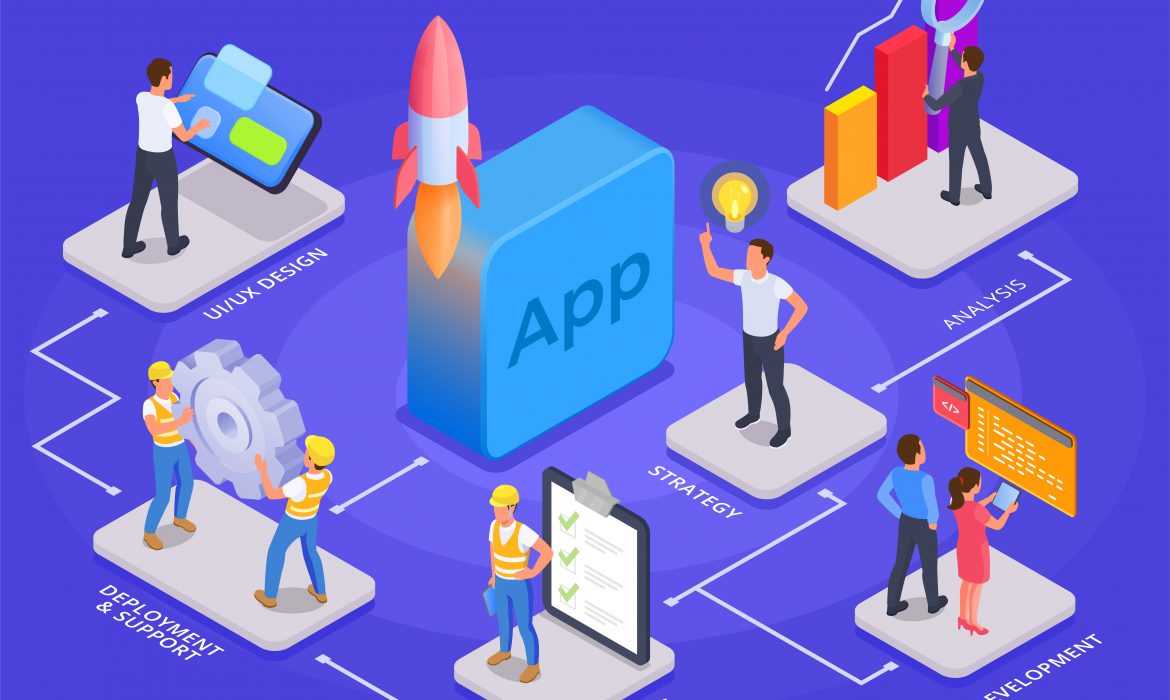
Building a mobile app isn’t magic, but it does require a clear plan and the right tools. At FBIP, we use Flutter to create apps that work seamlessly on both iOS and Android. Our Flutter development process balances speed with quality, turning ideas into functional products that people actually want to use.
Let’s walk through how we build Flutter apps from start to finish, showing you what happens at each stage and why it matters.
What Makes Flutter Different for App Development
Flutter is Google’s UI toolkit for building natively compiled applications from a single codebase. Instead of writing separate code for iPhone and Android users, we write once and deploy everywhere. This saves time and money, but more importantly, it creates consistency across platforms.
The framework uses Dart as its programming language. Dart compiles to native code, which means Flutter apps run fast. No intermediary layers slowing things down. When you tap a button, it responds instantly. When you scroll through a feed, it feels smooth.
Flutter’s widget-based architecture gives us fine control over every pixel on the screen. Everything you see in a Flutter app is a widget, from buttons to entire screens. This modular approach makes apps easier to build, test, and maintain.
Discovery Phase: Understanding What You Actually Need
Every project at FBIP starts with questions, not code. We need to understand what problem you’re solving and who will use your app. This discovery phase typically takes one to two weeks, depending on project complexity.
We hold kickoff meetings where stakeholders share their vision. What does success look like? Who are your competitors? What features are must-haves versus nice-to-haves? These conversations shape everything that follows.
Our team creates user personas based on your target audience. A fitness app for college students needs different features than one for retirees. We map out user journeys to identify friction points and opportunities.
Technical feasibility comes next. Can Flutter handle your specific requirements? Do you need native modules for certain features? We assess third-party integrations, API availability, and any platform-specific constraints. Sometimes Flutter isn’t the right choice, and we’ll tell you upfront.
The discovery phase ends with a project brief that outlines scope, timelines, and deliverables. Everyone signs off before we move forward. This document becomes our north star throughout development.
Design and Prototyping: Making It Visual
Once we know what we’re building, our designers create the visual language for your app. This isn’t just about making things pretty. Good design guides users through tasks without confusion.
We start with wireframes, which are basic layouts showing where elements go on each screen. Think of wireframes as blueprints. They establish information hierarchy and user flow without getting caught up in colors or fonts.
After wireframes get approved, we move to high-fidelity mockups. These look like the finished product, complete with your brand colors, typography, and imagery. We create mockups for different screen sizes to ensure the design adapts properly.
Flutter’s design system capabilities shine here. We build a design system with reusable components that maintain consistency across your app. Buttons, cards, input fields, they all follow the same visual rules. Users learn the interface once and apply that knowledge everywhere.
Interactive prototypes come next. We use tools like Figma or Adobe XD to link screens together, creating clickable demos. You can tap through the app flow before we write a single line of code. This catches usability issues early when they’re cheap to fix.
Setting Up the Development Environment
Before coding starts, our developers prepare their workspace. This setup phase matters more than you might think. A well-configured environment prevents bugs and speeds up development.
We initialize the Flutter project using the latest stable version of the framework. Each project gets its own Git repository for version control. Every code change gets tracked, reviewed, and documented.
Project structure follows Flutter best practices. We organize code into logical folders: screens, widgets, models, services, and utilities. This structure makes the codebase easy to navigate, especially as it grows.
Dependencies get added carefully. Flutter has a rich ecosystem of packages that extend functionality. Need to handle images? There’s a package. Want to connect to Firebase? Another package. We evaluate each dependency for quality, maintenance status, and licensing before adding it.
Environment configurations get set up for development, staging, and production. Each environment connects to different backend services and uses different API keys. This separation prevents test data from mixing with real user data.
The Flutter Development Process in Action
Now we get to the actual coding. Our Flutter development process follows agile methodology with two-week sprints. Each sprint delivers working features that stakeholders can review.
We break down the project into user stories. A user story describes a feature from the end user’s perspective: “As a shopper, I want to save items to my cart so I can buy them later.” Each story gets estimated for complexity and assigned to a sprint.
Developers work on features in parallel when possible. One person might build the authentication system while another creates the product listing screen. Flutter’s architecture makes this parallel work feasible without constant conflicts.
Code reviews happen daily. Before any code merges into the main branch, another developer reviews it. They check for bugs, adherence to style guides, and opportunities for improvement. This peer review catches issues that automated tests miss.
We write tests as we go, not after the fact. Unit tests verify individual functions work correctly. Widget tests ensure UI components render properly. Integration tests check that different parts of the app work together. FBIP typically aims for 70-80% code coverage, which means most of the codebase has corresponding tests.
Flutter’s hot reload feature speeds up development considerably. Developers can change code and see results in seconds without restarting the app. This tight feedback loop makes experimentation easy and helps refine interactions quickly.
Backend Integration and API Connectivity
Most apps need to communicate with servers. Our Flutter development process includes careful integration with backend services, whether we’re building the backend or connecting to existing systems.
We use REST APIs or GraphQL for data exchange. Flutter’s HTTP libraries make these connections straightforward. We implement proper error handling because networks fail. Users on slow connections or in spotty coverage areas should still have a decent experience.
Authentication and authorization get implemented early. Whether it’s email/password, social login, or biometric authentication, securing user data is non-negotiable. We follow industry standards like OAuth 2.0 and JWT tokens.
Data persistence happens locally and remotely. We use SQLite for local databases and shared preferences for simple key-value storage. This local storage lets apps work offline and sync when connectivity returns.
State management deserves special attention. As apps grow, managing data flow becomes tricky. We use proven patterns like Provider, Riverpod, or BLoC to keep state predictable and maintainable. The choice depends on project complexity and team preferences.
Testing Across Devices and Platforms
A Flutter app might work perfectly on one device and crash on another. We test across a representative sample of real devices and screen sizes.
Our testing matrix includes recent iPhone models, popular Android phones, tablets, and different OS versions. We test on physical devices, not just simulators. Real devices reveal performance issues and platform-specific quirks that emulators hide.
Automated testing runs on every code push. Our continuous integration pipeline builds the app, runs all tests, and flags failures immediately. This automation catches regressions before they reach human testers.
Manual testing focuses on user experience. Testers go through complete user flows, trying to break things. They test edge cases: what happens with a 100-character username? What if someone rotates their device mid-action? What if the network drops during a transaction?
Performance profiling identifies bottlenecks. We measure frame rates, memory usage, and app startup time. Flutter’s performance overlay helps spot janky animations or excessive rebuilds. Apps should feel responsive even on older devices.
Deployment and Launch Preparation
Getting an app into app stores involves more than uploading files. Both Apple’s App Store and Google Play Store have review processes and requirements.
We prepare store listings with compelling descriptions, screenshots, and preview videos. These marketing materials influence download decisions, so they get the same attention as the app itself.
App signing and certificates get configured properly. Each platform has its own process for securely signing apps. We handle this setup so your app can receive updates smoothly.
Beta testing through TestFlight (iOS) and Google Play Beta (Android) lets real users try the app before public launch. We gather feedback, fix bugs, and make adjustments based on actual usage patterns.
The FBIP team submits the app for review, addressing any feedback from store reviewers promptly. Apple’s review typically takes one to three days, while Google’s is often faster but can occasionally take longer.
Post-Launch Support and Iteration
Launch day isn’t the finish line. Apps need ongoing maintenance, bug fixes, and feature updates.
We monitor crash reports and analytics to identify issues quickly. Firebase Crashlytics and similar tools alert us when users encounter problems. We prioritize fixes based on impact and frequency.
User feedback guides future development. App store reviews, support tickets, and usage analytics reveal what’s working and what needs improvement. The best features often come from listening to actual users.
Performance monitoring continues post-launch. We track load times, API response rates, and user engagement metrics. This data helps us optimize the app over time.
Regular updates keep the app fresh and secure. We update Flutter and third-party packages to get bug fixes and new features. We also add capabilities based on your roadmap and market demands.
Why This Process Works
Our Flutter development process balances structure with flexibility. The framework provides clear stages, but we adapt based on project needs. A simple app moves faster through these phases than a complex enterprise solution.
Transparency matters throughout. You’re not waiting months to see progress. Sprint demos happen every two weeks. You see working features, provide feedback, and influence direction.
Quality doesn’t happen by accident. It comes from careful planning, rigorous testing, and constant refinement. Every decision considers long-term maintainability, not just short-term convenience.
The single codebase advantage of Flutter means we’re not duplicating effort across platforms. Updates reach all users simultaneously. Bug fixes solve problems for everyone at once. This efficiency translates to faster delivery and lower costs.
Frequently Asked Questions
How long does the Flutter development process typically take?
Project timelines vary widely based on complexity and features. A simple app with basic functionality might take 8-12 weeks from discovery to launch. More sophisticated apps with custom features, complex backend integration, and extensive testing often require 4-6 months. We provide detailed estimates after the discovery phase when we fully understand your requirements.
Can you add native platform features to a Flutter app?
Yes, Flutter supports platform-specific code through platform channels. If you need iOS-specific features like Apple Pay or Android-specific capabilities like home screen widgets, we can integrate them. We write native code (Swift for iOS, Kotlin for Android) when necessary and connect it to your Flutter app through well-defined interfaces.
What happens if we need changes during development?
Changes are normal and expected. Agile methodology accommodates evolving requirements. We assess each change request for impact on timeline and budget. Small tweaks often fit within existing sprints. Larger changes might extend the project or require adjusting other features. Clear communication ensures you make informed decisions about scope changes.
How do you ensure our Flutter app performs well?
Performance is built in from the start, not bolted on later. We follow Flutter best practices, avoid common performance pitfalls, and profile the app regularly. We test on lower-end devices to ensure acceptable performance across the device spectrum. Before launch, we conduct thorough performance testing and optimization to deliver a smooth user experience.
Do you provide training on managing the app after launch?
Absolutely. We offer documentation and training tailored to your team’s technical level. If you have developers who will maintain the app, we provide code walkthroughs and technical documentation. For non-technical stakeholders, we focus on using analytics dashboards and understanding user feedback. Ongoing support packages are available if you prefer we handle maintenance.
Clean Architecture in Flutter: How to Structure Large Projects
Ever opened a Flutter project after six months and felt like you’re deciphering ancient hieroglyphs?
You’re not alone.
Clean Architecture in Flutter is the difference between building a house of cards and constructing a solid foundation that won’t collapse when your app grows from a simple prototype to a complex, feature-rich application.
The reality is brutal: most developers start with good intentions, but as deadlines loom and features pile up, code organization takes a backseat.
Then one day you’re staring at a 2000-line widget file wondering where your life went wrong.
Let’s fix that.
What Is Clean Architecture in Flutter?
Think of Clean Architecture in Flutter as your app’s blueprint.
Just like you wouldn’t build a skyscraper without architectural plans, you shouldn’t build large Flutter applications without a clear structural foundation.
Clean Architecture, originally conceived by Uncle Bob (Robert C. Martin), divides your application into distinct layers:
- Presentation Layer: Your UI widgets and state management
- Domain Layer: Business logic and use cases
- Data Layer: APIs, databases, and external data sources
The magic happens when these layers communicate through well-defined contracts, making your code:
- Testable: Each layer can be tested in isolation
- Maintainable: Changes in one layer don’t break others
- Scalable: Adding features becomes predictable and structured
Why Large Flutter Projects Need Clean Architecture
Picture this: You’re building a simple todo app.
A single StatefulWidget with some local state works fine.
But six months later, your “simple” app has:
- User authentication
- Cloud synchronization
- Push notifications
- Premium subscriptions
- Analytics tracking
- Multi-language support
Without proper architecture, your codebase becomes a tangled mess where:
- Bug fixes break unrelated features
- Adding new functionality requires changing code everywhere
- Testing becomes a nightmare
- New team members spend weeks understanding the codebase
Clean Architecture prevents this chaos by establishing clear boundaries and responsibilities from day one.
Core Principles of Flutter Clean Architecture
1. Dependency Inversion
The golden rule: inner layers never depend on outer layers.
Your business logic shouldn’t care whether data comes from Firebase, SQLite, or a REST API.
// Wrong – Business logic depends on specific implementation
class UserRepository {
final FirebaseFirestore firestore;
// Business logic now tied to Firebase
}
// Right – Business logic depends on abstraction
abstract class UserRepository {
Future<User> getUser(String id);
}
class FirebaseUserRepository implements UserRepository {
// Implementation details hidden
}
2. Single Responsibility
Each class should have one reason to change.
Your user profile widget shouldn’t handle API calls, data validation, AND UI rendering.
3. Testability First
If you can’t easily write unit tests for a component, your architecture needs work.
Clean Architecture makes testing natural, not an afterthought.
Implementing Clean Architecture: Layer by Layer
Domain Layer – The Heart of Your App
Start here. Always.
The domain layer contains your business entities and use cases – the core logic that makes your app unique.
Entities represent your business objects:
class User {
final String id;
final String email;
final String name;
final DateTime createdAt;
User({
required this.id,
required this.email,
required this.name,
required this.createdAt,
});
}
Use Cases define what your app actually does:
class GetUserProfile {
final UserRepository repository;
GetUserProfile(this.repository);
Future<User> call(String userId) async {
if (userId.isEmpty) {
throw InvalidUserIdException();
}
return await repository.getUser(userId);
}
}
Repository Interfaces define contracts without implementation:
abstract class UserRepository {
Future<User> getUser(String id);
Future<void> updateUser(User user);
Future<List<User>> searchUsers(String query);
}
Data Layer – External World Interface
The data layer implements your repository interfaces and handles external data sources.
Data Sources handle the nitty-gritty:
class RemoteUserDataSource {
final http.Client client;
RemoteUserDataSource(this.client);
Future<UserModel> getUser(String id) async {
final response = await client.get(
Uri.parse(‘$baseUrl/users/$id’),
);
if (response.statusCode == 200) {
return UserModel.fromJson(json.decode(response.body));
}
throw ServerException();
}
}
Repository Implementations coordinate between data sources:
class UserRepositoryImpl implements UserRepository {
final RemoteUserDataSource remoteDataSource;
final LocalUserDataSource localDataSource;
UserRepositoryImpl({
required this.remoteDataSource,
required this.localDataSource,
});
@override
Future<User> getUser(String id) async {
try {
final userModel = await remoteDataSource.getUser(id);
await localDataSource.cacheUser(userModel);
return userModel.toEntity();
} on ServerException {
final cachedUser = await localDataSource.getUser(id);
return cachedUser.toEntity();
}
}
}
Presentation Layer – User Interface Magic
The presentation layer handles UI and state management, consuming use cases from the domain layer.
BLoC/Cubit State Management:
class UserProfileCubit extends Cubit<UserProfileState> {
final GetUserProfile getUserProfile;
UserProfileCubit({
required this.getUserProfile,
}) : super(UserProfileInitial());
Future<void> loadUserProfile(String userId) async {
emit(UserProfileLoading());
try {
final user = await getUserProfile(userId);
emit(UserProfileLoaded(user));
} catch (e) {
emit(UserProfileError(e.toString()));
}
}
}
Widgets focus purely on UI:
class UserProfilePage extends StatelessWidget {
final String userId;
const UserProfilePage({required this.userId});
@override
Widget build(BuildContext context) {
return BlocProvider(
create: (context) => getIt<UserProfileCubit>()
..loadUserProfile(userId),
child: BlocBuilder<UserProfileCubit, UserProfileState>(
builder: (context, state) {
if (state is UserProfileLoading) {
return Center(child: CircularProgressIndicator());
}
if (state is UserProfileLoaded) {
return UserProfileView(user: state.user);
}
return ErrorView(message: state.error);
},
),
);
}
}
Dependency Injection – Connecting the Pieces
Clean Architecture shines when combined with dependency injection.
Using GetIt for service location:
final getIt = GetIt.instance;
void setupDependencies() {
// Data layer
getIt.registerLazySingleton(() => http.Client());
getIt.registerLazySingleton<RemoteUserDataSource>(
() => RemoteUserDataSource(getIt()),
);
getIt.registerLazySingleton<UserRepository>(
() => UserRepositoryImpl(
remoteDataSource: getIt(),
localDataSource: getIt(),
),
);
// Domain layer
getIt.registerLazySingleton(() => GetUserProfile(getIt()));
// Presentation layer
getIt.registerFactory(() => UserProfileCubit(
getUserProfile: getIt(),
));
}
Folder Structure for Clean Architecture in Flutter
Organization is everything.
Here’s a battle-tested folder structure:
lib/
├── core/
│ ├── error/
│ ├── network/
│ ├── utils/
│ └── constants/
├── features/
│ ├── user_profile/
│ │ ├── data/
│ │ │ ├── datasources/
│ │ │ ├── models/
│ │ │ └── repositories/
│ │ ├── domain/
│ │ │ ├── entities/
│ │ │ ├── repositories/
│ │ │ └── usecases/
│ │ └── presentation/
│ │ ├── bloc/
│ │ ├── pages/
│ │ └── widgets/
│ └── authentication/
│ └── … (same structure)
└── injection_container.dart
Key benefits of this structure:
- Feature-based organization: Easy to locate related code
- Layer separation: Clear boundaries between concerns
- Scalability: Adding new features follows the same pattern
- Team collaboration: Multiple developers can work on different features without conflicts
Testing Clean Architecture Flutter Apps
Clean Architecture makes testing elegant.
Unit Testing Use Cases:
void main() {
group(‘GetUserProfile’, () {
late MockUserRepository mockRepository;
late GetUserProfile usecase;
setUp(() {
mockRepository = MockUserRepository();
usecase = GetUserProfile(mockRepository);
});
test(‘should return user when repository call succeeds’, () async {
// Arrange
final tUser = User(id: ‘1’, email: ‘test@test.com’, name: ‘Test’);
when(mockRepository.getUser(any))
.thenAnswer((_) async => tUser);
// Act
final result = await usecase(‘1’);
// Assert
expect(result, equals(tUser));
verify(mockRepository.getUser(‘1’));
});
});
}
Widget Testing with Mocked Dependencies:
void main() {
testWidgets(‘should display user profile when loaded’, (tester) async {
// Arrange
final mockCubit = MockUserProfileCubit();
when(() => mockCubit.state).thenReturn(
UserProfileLoaded(testUser),
);
// Act
await tester.pumpWidget(
BlocProvider<UserProfileCubit>.value(
value: mockCubit,
child: UserProfilePage(userId: ‘1’),
),
);
// Assert
expect(find.text(testUser.name), findsOneWidget);
});
}
How FBIP Leverages Clean Architecture for Flutter Development
At FBIP, we’ve seen firsthand how Clean Architecture transforms Flutter project outcomes.
As Udaipur’s leading Flutter development company, we’ve implemented Clean Architecture across dozens of client projects – from simple business apps to complex e-commerce platforms.
Our approach focuses on:
- Future-proofing applications: Clients often start with basic requirements but need rapid feature expansion
- Team scalability: Clean Architecture allows our developers to collaborate efficiently on large projects
- Maintenance efficiency: Well-structured codebases reduce long-term maintenance costs by up to 60%
Recent success story: We restructured a client’s existing Flutter app using Clean Architecture principles. The result? Development velocity increased by 40% and bug reports dropped by 70%.
Our experienced Flutter team understands that Clean Architecture isn’t just about code organization – it’s about delivering sustainable solutions that grow with your business.
When you partner with FBIP, you’re not just getting a Flutter app; you’re investing in a robust, scalable foundation that will serve your business for years to come.
Common Clean Architecture Pitfalls to Avoid
Over-Engineering Small Projects
Not every app needs Clean Architecture.
Building a simple calculator with full Clean Architecture is like using a sledgehammer to crack a nut.
Use Clean Architecture when:
- Your team has more than 2 developers
- The project will be maintained for over a year
- You expect significant feature growth
- Testing is a priority
Creating Unnecessary Abstractions
Don’t create interfaces for everything.
If your data source will always be Firebase, you might not need a repository abstraction initially.
Start simple, refactor when requirements change.
Ignoring State Management
Clean Architecture doesn’t replace good state management – it enhances it.
Choose your state management solution (BLoC, Riverpod, Provider) and integrate it thoughtfully with your architecture.
Performance Considerations
Clean Architecture can impact performance if implemented poorly.
Best practices:
- Lazy initialization: Use registerLazySingleton for expensive objects
- Widget rebuilds: Keep state management efficient with proper selectors
- Memory management: Dispose resources properly in repositories and use cases
Monitor these metrics:
- Build times: Complex dependency graphs can slow compilation
- App startup: Too many dependencies can affect cold start performance
- Memory usage: Repository caching strategies should be memory-conscious
Conclusion
Clean Architecture in Flutter isn’t just about writing prettier code.
It’s about building applications that survive and thrive as requirements evolve, teams grow, and business needs change.
The investment in proper architecture pays dividends:
- Faster feature development once the foundation is solid
- Reduced bugs through clear separation of concerns
- Easier onboarding for new team members
- Confident refactoring without breaking existing functionality
Start your next Flutter project with Clean Architecture principles, and thank yourself later when you’re adding features instead of untangling spaghetti code.
Remember: Clean Architecture in Flutter is a journey, not a destination. Begin with the basics, iterate, and continuously improve your architectural decisions as your expertise grows.
Ready to transform your Flutter development process? Connect with our expert team at FBIP to discuss how Clean Architecture can elevate your next project. Our proven track record in Flutter development ensures your application is built on a solid, scalable foundation from day one.
FAQs
Q: Is Clean Architecture overkill for small Flutter projects?
For simple apps with basic features and short lifespans, Clean Architecture can be overkill. However, if you anticipate growth or team expansion, implementing it early saves significant refactoring time later.
Q: Which state management solution works best with Clean Architecture in Flutter?
BLoC/Cubit integrates naturally with Clean Architecture principles, but Provider, Riverpod, and GetX can all work effectively. The key is maintaining clear separation between presentation and business logic.
Q: How does Clean Architecture affect Flutter app performance?
Properly implemented Clean Architecture has minimal performance impact. However, excessive abstractions and complex dependency graphs can affect build times and app startup. Focus on meaningful abstractions over perfect theoretical purity.
Q: Can I retrofit Clean Architecture into an existing Flutter project?
Yes, but it requires careful planning and gradual refactoring. Start by extracting business logic into use cases, then gradually separate data and presentation layers. Expect this process to take several development cycles.
Q: What’s the learning curve for implementing Clean Architecture in Flutter?
Developers familiar with SOLID principles typically adapt within 2-3 weeks. The main challenge is shifting from widget-centric thinking to layer-based architecture. Start with small features and gradually apply the patterns across your codebase.

